Thursday, September 30, 2010

Microsoft Security Essentials celebrates First Birthday across 74 countries with 30 million customers

MSEcake


It has been One Year since Microsoft Security Essentials has been made available to general public. And now it has over 30 million customers in 74 different countries around the world enjoying the trusted security and quiet protection that Microsoft Security Essentials provides.

Happy Birthday Microsoft Security Essentials!  And thanks for working quietly behind the scenes protecting my PC. Microsoft Security Essentials runs quietly and efficiently in the background and its Free! You can get it from http://www.microsoft.com/security_essentials/ 

For more details on the highlights from the past year and about the impact Microsoft Security Essentials is having on the Windows ecosystem , please check Windows Security Blog.

Wednesday, September 29, 2010

Google Chrome Vs IE 9 beta User Experiences: Quieter Notifications

Get Microsoft Silverlight

This video talks about the new notification bar in IE9  that delivers messages in a consistent and clear manner while allowing you to keep your focus on the site content and is compared with Google Chrome.

For more details pl check - User Experiences: Quieter Notifications

Thanks for the Windows Live Hotmail Goodies !!

Few days back I received this beautiful Hotmail Kit shaped in the form of Hotmail logo envelope box, full of Hotmail goodies from the Windows Live Hotmail team !


This was provided for the active participation in the Windows Live Meetings, being enthusiastic about Windows Live, blogging, tweeting and spreading the word in the community. A letter of appreciation from the Windows Live Team was also provided along with these Hotmail goodies that highlights the new features of Windows Live Hotmail.

A big Thanks to the Windows Live Team !!!!

If you haven’t yet tried the new features of Windows Live Hotmail, give it a try or if you don’t have an Hotmail account yet, Find out more  and create an account from http://explore.live.com/windows-live-hotmail    I’m sure you’ll like the New Windows Live Hotmail.

Tuesday, September 28, 2010

Windows Live partners with WordPress.com to migrate 30 million Windows Live Spaces users to WordPress

Looking at the Blogging needs and what different companies were providing Windows Live announced an exciting partnership with WordPress.com. So a migration path for 30 million Windows Live Spaces users will be provided to upgrade their Spaces blog to WordPress.com.

WordPress.com was chosen as a partner because of its host of impressive capabilities – from a scalable platform and leading spam protection, to great personalization and customization. WordPress powers over 8.5% of the web, is used on over 26 million sites, and WordPress.com is seen by over 250 million people every month. So rather than having Windows Live invest in a competing blogging service, it was decided the best thing to do for customers was to give them a great blogging solution through WordPress.com.


WLSWP


As part of this project, WordPress has added support for Messenger Connect as a Publicize option, which enables you to automatically share updates to your WordPress.com blog with your friends who use Windows Live Messenger.

This migration of Spaces users to WordPress.com will be an easy upgrade path via Automated content migration with easy account set up .WordPress has created a brand new importer for Windows Live Spaces to WordPress.com.

One also will be provided with the download option to download the Spaces content in human readable, well structured HTML  before upgrading to WordPress.com.

If a user already has WordPress blog , he can merge a spaces blog with a current wordpress blog .

Visitors will continue to have great experience as blog articles will be redirected.

Spaces Users can take with them/download blogs, inserted photos, videos. Comments without spam to WordPress.com. Option for Comments as is can be downloaded.

Gadgets, theme/skins can not be moved to WordPress. com. Similarly  draft posts, guestbook, notes, lists  won’t be available to move and are recommended to be manually  backed up if required.

With the announcement, the option will be available to users and they can still continue to use Spaces. You have time until March 2011 but you should upgrade to WordPress.com today!

  • For now, you can still make posts to your Spaces blog, and you can decide when to upgrade.
  • Starting January 2011, if you haven't upgraded yet, Spaces will be read-only and you will no longer be able to add content to your Spaces blog, but your existing content will still be visible. The same options to upgrade, download or delete your blog will still be available.
  • March 2011 will be the last chance for you to get your stuff. Why not upgrade today?

“And when Windows Live Essentials 2011 releases later this fall, Windows Live Writer will also use WordPress.com as its default blogging solution.”

For step-by-step migration Path of Spaces to WordPress Screenshots , please check

How to upgrade and migrate your Windows Live Spaces blog to WordPress – Screenshots


Source : WordPress.com and Windows Live partnering together and providing an upgrade for 30 million Windows Live Spaces customers

Welcome Windows Live Spaces Bloggers

Bing maps now as mapping option in HP Printers

If you don’t have NAV installed on your car, then one has to goto bingmaps, type in the address and then print the Directions map. Now this process has been simplified as Bing Maps will now be available as a mapping option on select HP Photosmart e-All-in-One printer. Beginning this fall, Bing Maps will be available on new HP ePrint enabled home printers worldwide, giving you access to Bing Maps’ best in class high resolution imagery for quick and easy one touch map printing… right from a printer! Read more here www.hp.com/go/InnovationSummit


1BMHP2BMHP3BMHP4BMHP


Source:    Bing Maps is coming to an HP printer near you!

Monday, September 27, 2010

A Few Perspectives on OpenOffice.org

Several customers share their experiences with OpenOffice.org and why they came back to Microsoft Office -


Get Microsoft Silverlight

Saturday, September 25, 2010

"Evil Tina"– video from Windows Live Double Rainbow makers

Watch Evil Tina - The second video from Lanman Brothers – who brought the Windows Live Double Rainbow video.

Don't mess with Evil Tina. Automatically turn your videos, photos, and music into a great movie by using AutoMovie.

Evil Tina–Windows Live Movie Maker


“There’s more to Windows Live Movie Maker than meets the eye. Let’s take AutoMovie for example. AutoMovie is a feature that allows the user to make a polished movie in seconds. In 3 clicks or less, you add your pictures/movies, select a theme, add a song and you’re ready to share with family and friends. “

Read more about the video here: The Wedding Video…

Get Windows Live Movie Maker here:
http://explore.live.com/windows-live-movie-maker

btw if you haven’t watched the Windows Live Double Rainbow video, its here :

Double Rainbow

Messenger Mob

Microsofties are busy in the Microsoft campus, but  had a little fun in a recent employee video contest. Watch the winning video, "Messenger Mob," created by  Tony East..

Messenger Mob


Check out the new Messenger beta: http://beta.live.com

Thursday, September 23, 2010

How to embed PowerPoint presentations or Excel sheets in a Blog post

Starting today, you can embed a PowerPoint presentation or Excel spreadsheet in a blog or website. With PowerPoint presentations, viewers can page through a mini version of the slides or view in full screen. For example, you might embed a PowerPoint presentation of photos from your last vacation, share slides from a lecture or talk that you enjoyed, or broadcast your knowledge of a special subject.

The following embedded PowerPoint presentation walks you through the actual steps for embedding a PowerPoint presentation or Excel file in a blog post.

EDIT : Now more related links are active -

You can also read these posts on How to embed a PowerPoint presentation on a web page and How to embed an Excel workbook on a web page for how-to steps.


You can embed Excel charts and data in a blog or website the same way. Here's an example of an embedded Body Mass Index (BMI) calculator, using the Excel Web App. Enter your own height and weight to find out your BMI:


“When you embed presentations, people can also view your presentation in full screen mode with all of your animations and transitions. And when you embed Excel spreadsheets, you can update data in Excel on the desktop, and your spreadsheet will automatically be updated on the web. You can even publish interactive PivotTables and forms “

Also check this video highlighting the new updates and also examples of embedded files .

Get Microsoft Silverlight


UPDATE:29/09/10  Added this demo video-  Embed a PowerPoint presentation on your blog

Embed a PowerPoint presentation in your blog or site


Check this

Office Web Apps reach 20 million: New features today + 7 more countries for more details

Tuesday, September 21, 2010

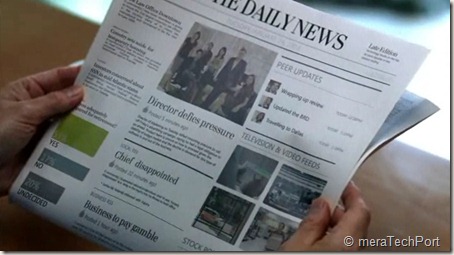
Volkswagen Talking newspaper ad –a small step towards Microsoft’s Productivity Future Vision ?

As you flick open today’s edition of Times of India newspaper, you’ll start to hear something. It’s the Ad for the New Volkswagen Vento. They have attached a light sensor chip which starts to play the audio as soon as light falls on it.

Many scared out of their skin after hearing their newspaper talk  Smile  Anyway ,its an innovative idea for a newspaper ad.

Volkswagen could have also implemented Microsoft Tag – ‘Connecting Real Life and the Digital World ‘  to know more about it.


IMG_1729z


IMG_1730z


This reminds me of Microsoft’s Productivity Future Vision video where the newspaper updates with audio/video , showing the current city weather etc as you flick through the newspaper. So is this audio ad , a small step in what future has to offer?

Microsoft says -

Microsoft’s long-term productivity vision explores how we will create and share content; collaborate across teams, organizations and networks; and gain contextually relevant insights based on preferences and intent. Each scene showcases real technologies being explored by Microsoft teams and partners and others in the industry. To see current prototypes we are exploring go to www.officelabs.com.

– check the Microsoft’s Productivity Future Vision video

Get Microsoft Silverlight


toiadMSfutre

Check the video and see what the future has to offer .

Also check - The SixthSense device – that will change how we interact with the World

Sunday, September 19, 2010

Australian Bing TV Ads collection

Check out these Australian Bing TV Ads collection – short and beautiful ads :


Surf Videos -  Let Bing help you catch the biggest wave

Surf Videos - Let Bing help you catch the biggest wave


Family Tree - Let Bing help you connect you with your family

Family Tree - Let Bing help you connect you with your family


Sneak Preview - Let Bing help you find what you're looking for easily by giving you a sneak preview of your search result straight from the results page

Sneak Preview


Love I

mages - Let Bing help you find images you'll love. And images of love

Love Images - Let Bing help you find images you'll love. And images of love


Good Things - You don't have to search far for millions of good things

Good Things - You don't have to search far for millions of good things

Thursday, September 16, 2010

Add-on Performance Advisor in Internet Explorer 9 Beta

IE9

While running the Internet Explorer 9 beta for the first time, it might have provided with a window listing the add-on which are slowing down your browser performance, and allowing you to disable or remove it to speed up. Add-ons, such as toolbars, can enhance your browsing experience, but they can also slow it down. This is one of the problems browsers face and the user blames the browser for it while the real culprit is the add-on.

IE9perfaddon


So when you add a new add-on, IE9 beta while starting will show the notification bar at the bottom of IE9 , click on disable addons… will provide the add-on advisor.

IE9perfaddon2

This advisor provides you with the loading time information and you can adjust the total add-on time and accordingly you can disable them to speed up your browser.

You can also run that Performance advisor manually,  just right click on the empty space near the ‘New tab’ and tick the ‘command bar’  to show .

IE9perfaddon1

From the command bar , Tools > Toolbars > Disable add-ons.. will provide the performance advisor window. (thanks to @rkquotes for the tip)

This is one of the many cool features of IE9 beta. If you haven’t yet tried it get it from http://windows.microsoft.com/en-US/internet-explorer/download/ie-9/worldwide

Making Sites Shine - Behind the Browser - IE9

Meet the user experience designers behind Internet Explorer 9 as they talk about their approach to designing a browser that melts into the backgrounds, bringing your web sites forward.


Making Sites Shine - Behind the Browser - IE9

Wednesday, September 15, 2010

What’s new in the New twitter ?

Enhancements in the new twitter


New design

You will now find @mentions, retweets, searches, and lists just above your timeline – creating a single, streamlined view on the left of the screen. On the right, you can see the features you’re familiar with, including whom you recently followed and who recently followed you, favorites, and Trending Topics.


View photos, videos, and other media content

Now, it’s easy to see embedded photos and videos directly on Twitter, thanks to partnerships with Dailybooth, DeviantArt, Etsy, Flickr, Justin.TV, Kickstarter, Kiva, Photozou, Plixi, Twitgoo, TwitPic, Twitvid, USTREAM, Vimeo, Yfrog, and YouTube.


Discover related content

When you click a Tweet, the details pane shows additional information related to the author or subject. Depending on the Tweet’s content, you may see: @replies, other Tweets by that same user, a map of where a geotagged Tweet was sent from, and more.


Mini profiles

You can click a @username to see a mini profile without navigating from the page, which provides quick access to account information, including bio and recent Tweets.


Rollout timing

These changes will roll out as a preview over the next several weeks. During the preview, you'll be able to switch back and forth so you have time to grow accustomed to the way things work. Eventually, everyone will have the updated version of Twitter.com.


Source-  http://twitter.com/newtwitter

Tuesday, September 14, 2010

Microsoft’s New LifeCam Studio with 1080p HD widescreen sensor

09-13lifecamstudio_front_sm


Microsoft today set a new standard in webcams with LifeCam Studio, featuring sharp high-definition (HD) video with a true 1080p sensor. It’s the perfect complement to Windows Live Messenger 2011, which will offer HD video calling in a 16:9 widescreen format.

  • Superior sharpness and image quality in video calls.
  • great video in virtually any lighting condition
  • A 360-degree view range -no need to pick up an entire laptop and turn it around
  • tripod thread - perfect for recording long video captures from different angles
  • elongated hood to stop harsh light from hitting the sensor and washing out colors
  • TrueColor Technology
  • ClearFrame Technology

For more details please check  -

 LifeCam Studio – the closest to being there 

Microsoft Unveils New LifeCam With Stunning 1080p HD Sensor: Closest Thing to Being There in Person 


Also check the demo of the same  where Daniel from the hardware group walks us through some of the other new features.

First Look at Lifecam Studio

lifecamstch9


Also this Life style video to illustrate LifeCam Studio features.

Get Microsoft Silverlight

The LifeCam Studio will be available in October retailing for $99.95.

Monday, September 06, 2010

Behind the scenes look at the Wireless Mobile Mouse 4000 Studio Series line

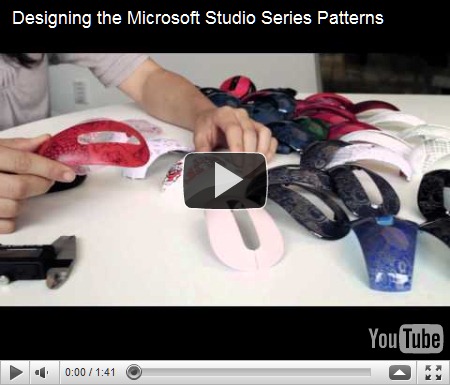
Designing the Microsoft Studio Series Patterns - A behind the scenes look at the Wireless Mobile Mouse 4000 Studio Series line with Microsoft Hardware designers Lindsey Kujawski and Kate Bailey


Behind the scenes look at the Wireless Mobile Mouse 4000 Studio Series


Windows Phone 7 Ad – Revolution is coming….

The Windows Phone 7 ad that was shown before the Secret Cinema: Lawrence of Arabia  screening

Windows Phone 7 Ad


Also check  Secret Cinema: Lawrence of Arabia  on Facebook.

(Source Windows Phone UK)


Thursday, September 02, 2010

Designer behind the Arc™ Touch Mouse

MSArcTouch


Yesterday Microsoft announced the much talked Arc Touch Mouse, the Next generation of earlier Arc Mouse.  Anyone will be impressed with its Beautiful, elegant yet simple design.


ATM


Meet the designer Young Kim – Senior User Experience Designer at Microsoft who is behind this mouse.


Get Microsoft Silverlight


Designed keeping in view User convenience without the bulkiness. A mechanism designed that goes from flat to bent , back to flat repeatedly

Some of its features includes-

  • Curves for comfort , fits the hand nicely while working and  flattens to store in the bag or your pocket. And it has another function also , Curve to turn ON. Flatten to turn OFF. No button to switch. A green light flashes to show the battery is working, and then turns off to save battery life.
  • No scroll wheel instead a touch strip is provided, which simulates feeling of scrolling experience without traditional wheel. You can scroll fast or slow, flick it for hyperfast scroll, tap the top or bottom region for Pg Up and Pg Down.  So its ‘Click. Tap. Flick. Control’ for better Productivity. You can feel the scroll with vibration feedback. ‘Includes haptics, so you can actually feel (and hear) the page scrolling.’
  • BlueTrack Technology - works on any surface like cement, rough table, uneven wood, marble tabletop or any reflective surface
  • Nano Transceiver- snaps into the bottom of the mouse.


Shipping in Holiday season in US, Jan in many other regions, early shipment in Europe. Priced at $ 69.95


For more details – please check http://www.arctouchmouse.com/


Also you can check theses video -

‘First Look at Arc Touch Mouse’ where Larry Larsen is given the Arc Touch Mouse demo by Debbie Uttecht from the Hardware group at Microsoft.


ArcTMouseCh9


Also check this cool video

Microsoft Arc Touch Mouse - for your mobile life style  

Get Microsoft Silverlight


Wednesday, September 01, 2010

Update your Twitter Notify plug-in for Windows Live Writer

If you use Windows Live Writer, most probably you also have twitter Notify plug-in installed. Don’t get surprised, as twitter notify plugin starts requesting for sign-in credentials from today and it doesn’t work even if you provide with username and password. That’s because twitter today has changed the way you sign-in to twitter. And it doesn’t notify that you needed to update.

Twitter Notify has been updated to work with Twitter's latest authentication changes by Live Writer team today . You have to just install it from Windows Live Gallery and it’ll start working again. You can get it from here.


twitterNotifyplugin


Thanks to the tweets from Windows Live Writer and ABomb88 for letting us know.


team crossword - Solve crossword puzzles together with Facebook friends

TeamCWlogo

The FUSE Labs team have launched a new project called Team Crossword beta. Solve some crossword puzzles together with your Facebook friends online Or if you want to play solo, you can.

A new puzzle is available every day via the website, you can just get started into Team Crossword by signing into Facebook.

TeamCWz


TeamCW1


A TeamCrossword game in action - every player gets a color!

TeamcrosswordFuseLabs

(Image courtesy- http://www.facebook.com/teamcrossword )


The interactive, team based crossword puzzle uses ASP.net MVC 2, jQuery, SQL Azure, Visual Studio 2010, and of course, it's hosted on Windows Azure. The actual crossword puzzle data is provided by uClick LLC.

Just for info – Outlook Social Connector, Spindex, Kodu, Emporia, Bing Twitter Maps and Docs also are from the FUSE Labs folks .

(Source: Steve Clayton, Channel10)