Google has started providing option in Gmail to disable Buzz or to hide Buzz. It also has option not to show the lists of people you are following on your public profile.
But is it too late after its Privacy Flaw ?

Google has started providing option in Gmail to disable Buzz or to hide Buzz. It also has option not to show the lists of people you are following on your public profile.
But is it too late after its Privacy Flaw ?
We have been hearing lots of voices about the privacy concerns in the new Google Buzz. So Google has acted on it and making various changes to Buzz start-up experience. First is the auto-following that is , Buzz used to follow automatically active people from the Contact lists on the first use of Buzz. This had created lot of concern. So starting this week, instead of an auto-follow model in which Buzz automatically sets you up to follow the people you email and chat with most, Google is moving to an auto-suggest model

For those who have already started using Buzz, over the next couple weeks Google will be showing a similar version of this new start-up experience to give you a second chance to review and confirm the people you're following. If you want to review this list now, just go to the Buzz tab, click "Following XX people" and unfollow anyone you wish.
Other change its making is - Buzz will no longer connect your public Picasa Web Albums and Google Reader shared items automatically
Next change is its providing a Buzz tab to Gmail Settings. From there, you'll be able to hide Buzz from Gmail or disable it completely. This was requested by many.

“….We quickly realized that we didn't get everything quite right. We're very sorry for the concern we've caused and have been working hard ever since to improve things based on your feedback. We'll continue to do so…...” Google posted on its blog.
These changes are not yet being reflected for buzz users and will be available over the next few days.
Fore more details Please check - A new Buzz start-up experience based on your feedback

Anyway, Buzz provides option to connect to various sites including twitter so that your tweets gets displayed in Buzz.

But how to do the reverse, that is how to show the Buzz updates in your twitter timeline? Here are the steps -
This can be done by using RSS feeds of Buzz updates. Open Buzz, click on your name to show the link to your Google Profile. Click it to open your Google Profile page. And you can see the RSS icon in the address bar

Click on the RSS icon and you will get the Google Buzz feed page. Copy this feed URL from the address bar.

And this feed URL can be used in service like twitterfeed .
If you don’t have an account, signup and paste the Google Buzz feed URL.

And in the advanced settings, you can make the post content as ‘description only’ and can uncheck ‘Post link’. You can also keep the ‘Update frequency’ as you want ‘and post up’ to as 1. That’s all.
So whenever you Buzz, these will also be shown in your twitter timeline. btw, I’m sticking to twitter, though will keep exploring the Buzz.

Today when you sign-in to Gmail, you’ll get this page -

With the growing popularity of twitter,facebook; now Google has launched its own way of sharing updates, photos, videos and more. It has launched Google Buzz. Buzz is built right into Gmail and automatically starts following the people you email and chat with the most.

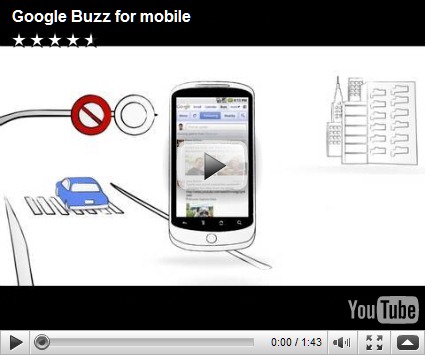
You can choose to share publicly with the world or privately to a small group of friends each time you post. As you sign-in to Gmail, you will see the buzz icon below the Inbox. Google is rolling out to all in the days to come. Buzz is also available on mobile.

Google has come out with Buzz, now its for people whether they like it or not . Its a nice catchy ‘name’ ? (remember Yahoo Buzz? .

Google Buzz for mobile
EDIT: After trying it out for sometime,I’m not sure whether people will like this another social thing or not. I think all these have been tried and done before by others like Microsoft and yahoo.
Twitter and facebook gives a different kind of experience and my preference is still twitter, either in its web UI or using some twitter client. I’m not giving a total thumbs down to Google Buzz but let us see how it grows with more additional features. If it tries to add more feature it should not end up like Wave. Complicating things.
Let me try Buzz for few more days. Again I would say, I prefer twitter!!

