Showing posts with label Office Labs. Show all posts

Tuesday, March 23, 2010

Office Talk – twitter like micro-blogging for workplace from Microsoft

OTLogo

The Microsoft Office Labs team has just launched a new experimental tool that brings Twitter-like microblogging to the workplace. Called OfficeTalk, this concept test application lets employees post their thoughts, activities and other info which is shared with anyone and everyone in their company.


Ever wish you could share information broadly within your organization without emailing everyone? Ever wish you could keep the pulse of what people in your organization think is interesting? Microblogging has that potential. OfficeTalk is a concept test to explore the value of microblogging in the enterprise. OfficeTalk is deployed internally at Microsoft and has seen over 10,000 visitors and hundreds of messages posted daily. We're now making OfficeTalk available to a few customers in a small pilot test. Because this is an early-stage concept, the OfficeTalk microblogging experience itself looks very similar to other well-known services. The key difference is that the enterprise owns the data since the OfficeTalk server is hosted in the customer’s organization.


officetalk2


officetalk3

OfficeTalk is in a limited private pilot for research purposes for now. If you'd like your firm to be involved in the pilot and are willing to participate in the user research, let us know. Since this is a research project, only a very small number of pilots will be considered.

Also check - Exploring the Impact of Social Networking in the Enterprise

(Source - OfficeTalk: Microblogging for Business)


Wednesday, October 08, 2008

Project Touchless – Create and Experience Multitouch applications without touching

Touchless enables touch without touching by using a webcam to track color based markers. Touchless includes two parts:

  • Touchless Demo is an open source application that anyone with a webcam can use to experience multi-touch, no geekiness required. There are 4 fun demos: Snake - where you control a snake with a marker, Defender - up to 4 player version of a pong-like game, Map - where you can rotate, zoom, and move a map using 2 markers, and Draw - the marker is used to guess what....  draw!
  • Touchless SDK is an open source SDK that enables developers to create multi-touch based applications using a webcam for input, geekiness recommended. Touchless is an SDK that allows users to create and experience multi-touch applications. Touchless started as Mike Wasserman’s college project at Columbia University. The main idea: to offer users a new and cheap way of experiencing multi-touch capabilities, without the need of expensive hardware or software. All the user needs is a camera, which will track colored markers defined by the user.

This project is an Office Labs community project :Project Touchless

Touchless is released free and open-source to the world under the Microsoft Public License (Ms-PL) on CodePlex. Check more details here.

<a href="http://video.msn.com/?playlist=videoByUuids:uuids:a89a217b-fc38-4a6c-87f8-ab59a2028391&amp;showPlaylist=true" target="_new" title="Touchless">Video: Touchless</a>

Wednesday, August 20, 2008

Email Prioritizer

This is another cool project from Microsoft Office labs. Email Prioritizer is an add-in for Microsoft Office Outlook 2007 (running on Exchange Server) that helps you manage email overload.It provides a “do not disturb” button that temporarily pauses new email arrival, and it prioritizes email with a 0-3 star rating system to help you focus on the email messages that are most important to you.

EmailPrioritizerSmall

Check here for more details and download. This prototype requires Outlook 2007 running on Exchange Server.

Friday, August 15, 2008

pptPlex – Present your PowerPoint Slides as a Tour

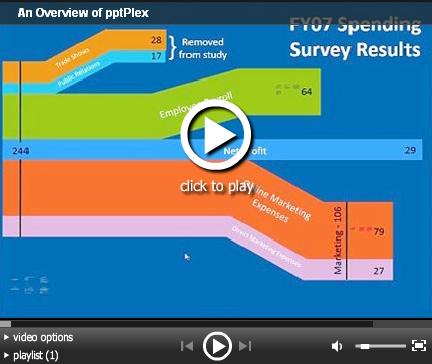
Microsoft Office labs has come with one more cool project, pptPlex. pptPlex will provide an alternate method of presenting PowerPoint Slides. This plug-in will allow you to arrange slides on a canvas then zoom between the slides during the presentation. You can move around the canvas and show groups of slides, individual slides, or even zoom in to show a particular section of a slide.

You will have an idea if you had seen the Bill Gates’s TouchWall demonstration done at CEO Summit. The prototype software used was Plex (also developed by Office labs). pptPlex, though not the same prototype but  uses the idea and concept of Plex.

So using pptPlex, you can present your slides as a tour through a zoomable canvas instead of a series of linear slides. This adds a new dimension in PowerPoint Presentation. pptPlex works with Microsoft Office PowerPoint 2007.

You can check more details, FAQs, Help videos and download it from here. Try it Now !

UPDATE : Just installed and trying it out.After installing this add-in, pptPlex will add a new tab in the Ribbon ‘pptPlex’ with various options.

 pptplex2rz1

pptplex3

TryIt


I would say pptPlex is the Best thing that happened to PowerPoint 2007. You should try it out.


Check out this video and other Help videos at the Office Labs site.

(Thanks Steve)

Tuesday, May 27, 2008

Make your own demo videos with Community Clips

Microsoft Office Labs has released a free screencasting software using which you can capture all your desktop activities with keystrokes and audio. When you install Community Clips, it adds buttons providing options to Office Ribbon and also to System Tray. Its a simple , basic screencasting software and very easy to use for preparing demo or help videos.

CC1

CC3

Since its a product of Office Labs , So I think they have made it available within Microsoft Office and encourage to make Office related demos. And many of which are available at Office Labs Community Clips. But you can use it for capturing a part of desktop or full window for preparing your demos, or for recording the Bugs reproduction as you want to show the bugs in action or you can use it for narration for adding audio to your PPTs so as to make a video of your PPTs as you explain each slide. There are many uses of it.

After  you finish recording, a save window opens where you can save the video and it also has options to upload screencast to Soapbox and email screencast. You will require LiveID to upload, rate and comment on existing content in Community Clips.

CC1a

Its a very easy and simple software and its very useful. Don't expect features present in Software like Camtasia.

CC4

Anyway try the Community Clips and show what you can do with it. And above all its Free.

Download it from here.

Community Clips Updated : Recently Community Clips team listening to feedbacks and suggestions provided this update. If you have uploaded videos then you might be curious about the type of activity your video is getting. Are people viewing it? How many? How are people rating the video? Are they commenting? Now you can sign up for e-mail notifications about your videos and you will receive a weekly summary of the activity on all of your videos. You'll also receive up to one email per day if there's been activity on any your videos that day.

Tuesday, May 20, 2008

Search Commands for Office 2007 from Office Labs

Microsoft Office Labs have launched their website at www.officelabs.com. This is a place for ideas that come from regular employees and interns who work anywhere in Microsoft. Its a prototype implementations of various ideas the Office Labs team is testing for viability.These ideas are great and very useful.

searchcommands2rz1

One of such tool is Search Commands. If you are using Microsoft Office 2007, then the Search Commands add-in is a must. This experimental add-in has been released by Office Labs. It helps to find commands, options, wizards and galleries in Word, Excel and PowerPoint. It also includes Guided Help, which acts as a tour guide for specific tasks.

searchcommands2rz

searchcommands3rz

Download Search Commands from here

After installing it, you can open Word,Excel or Powerpoint and Click on the Search Commands tab and in the Introduction section, click on Guided Help: 'Learn about Search Commands' to learn more about it.

searchcommands1rz 

Check search commands FAQs.

Please note that Search Commands is a prototype, so it is likely there are unknown issues plus there is no official support for Search Commands so its recommended not to install on production machines. I am bit late blogging about it but  I have been using it since its release and find it quite useful. I will be soon posting about some more goodies from Office labs.

Friday, May 02, 2008

Microsoft Task Market - Get your Job Done

There's an interesting site from Microsoft, Task market Tech Preview http://www.taskmarket.com/. What is it about? Suppose you are running a business and you want some help with tasks such as designing logos or brochures, enhancing presentations, writing copy, editing and more such jobs but you want to concentrate on your business. So just post the job you want done on the site (It's FREE) and there will be skilled freelancers registered on the site who will be looking to help in your work they are proficient in. So here are the simple steps that these things will be carried out:

Post your Job. (As I said earlier Its FREE)

Freelancers respond to your post.

Grant permission to Freelancers.

Freelancers takes your job and start working on it.

Receive the completed task.

Pay your Freelancer via Paypal.

And you can rate your Freelancer according to work carried out by him and thus you can concentrate on carrying your business and also get your work done.

Thus, Microsoft Task Market connects small businesses with skilled freelancers for marketing and other document help such as graphic design, writing and editing, document translation, and creating or enhancing presentations and spreadsheets. By focusing on tasks accomplished using applications such as Microsoft Word, Excel, Power Point and Access, Task Market makes it quicker and easier for small businesses to get their job done.
Task Market is a "tech preview", which means the site is in its infancy and still evolving

Microsoft Task Market Tech Preview does not charge to use the site. Posting a job is free. Task Market also does not charge freelancers who solve jobs. You can check the FAQ for more info.

It will be very useful for small jobs which many businesses will be looking for to be carried out and many big solution providers will not be doing such jobs.

This is one of the many interesting project being featured at officelabs.com . I'll be posting more about other projects from Microsoft Office Labs in the days to come. They have many interesting and useful projects.