Showing posts with label Windows Live. Show all posts

Monday, October 03, 2011

Windows Live Gallery retired

If you happen to visit gallery.live.com in search of gadgets, plugins don’t get surprised with this page instead -

The Windows Live Gallery has been retired. In order to focus support on the much richer set of opportunities available for the newest version of Windows, Microsoft is no longer supporting development or uploading of new Gadgets. However, some of the most popular and highest-rated gadgets are still available on the Gadgets page of the Windows Personalization Gallery.

With Windows Developer Preview, developers can create rich app experiences where customers focus on their important tasks. Apps are at the center of the Windows Developer Preview experience and are alive with activity and vibrant content. Users immerse themselves in your full-screen app while Windows gracefully gets out of the way.

Windows Developer Preview allows you to leverage your existing skills and code assets so you can create great experiences for your customers. Gadget and web developers can now use their HTML5 and CSS3 skills to build native Windows apps. .NET Developers can use XAML, C#, and Visual Basic to build beautiful Metro-style apps. Game developers can use the power of DirectX 11.1 to build amazing, immersive gaming experiences. Driver developers benefit from increased productivity with the new, integrated Visual Studio development environment.

With Windows Developer Preview, you’re ready to imagine, build, and sell the next great app.

Hoping to see this for the better !!

(HT to TheWindowsClub )

Tuesday, March 08, 2011

How to know on which server your Hotmail account resides?

Reading the title, the first thing that comes to mind is, what’s the use of finding out on which server your Hotmail account resides.

Windows Live Hotmail hosts many servers and the user’s mail accounts are spread across these different servers. The Hotmail team updates its users; informing about any server problem or scheduled maintenance mentioning the server name that is currently under maintenance or experiencing temporary problem. So you might want to know if your account is on that server.

Let us see how to find the server name that hosts your account.

Sign-in to your Hotmail account. If you are taken to Windows Live Home Page then Hover your mouse over Inbox option under Hotmail or ‘Go to Inbox’ and at the bottom of the browser in status bar, it’ll show the server URL .

Or if you directly goto Inbox when you sign-in , then Hover your mouse over Inbox and it’ll show the server URL at bottom of the browser in status bar. If it doesn’t show then  hover over any other Folders like ‘New Folder’. All these of course if you can login and not encountering any errors.

So in the Status bar you’ll see the server URL something like -

http://sn144w.snt144.mail.live.com/mail/……………

Here the server name is snt144.

HMserverInbxz

or


HMservername2z


In the above image the server name is snt115.

Also you can check the current Hotmail Server Status on which your account resides by signing in here 

You’ll see this info -

HMserver3rdlinkz

So knowing about the Server name and status will help you in troubleshooting.

(Source: Windows Live Solution Center )

Tuesday, December 14, 2010

Windows Live Plug-ins site launched !

The plug-ins are one of the most useful additions to various Windows Live products. These enhances the usefulness immensely. Now a new , neat , clean  site has been created featuring these plug-ins.

http://plugins.live.com/ 


Wlplug-inssite

For various Windows Live App , it provides many plug-ins arranged category wise, tag cloud and languages which can be arranged in various ways making it very easy.Wlplug-inssite1


Check out the various plug-ins  from http://plugins.live.com/


It also provides information for Plug-in Submission Process, so that if you are a developer , you can submit your plug-ins.

Wednesday, November 03, 2010

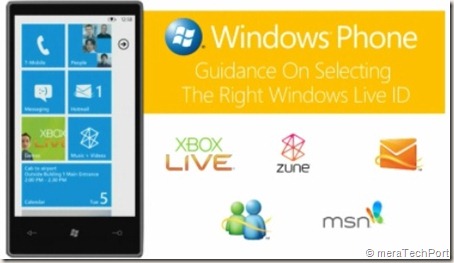
Guidance - Which Windows Live ID to use for Windows Phone 7 ?

You might be having multiple Live IDs but confused which one to use setting up your Windows Phone 7 ?

WLiveIDWP7

This video helps you determine which Live ID to use for Windows Phone 7. It’s a Guidance On Selecting the Right Windows Live ID for your Windows Phone 7.

Get Microsoft Silverlight

If the video is not showing for you, check this link .

Sunday, October 31, 2010

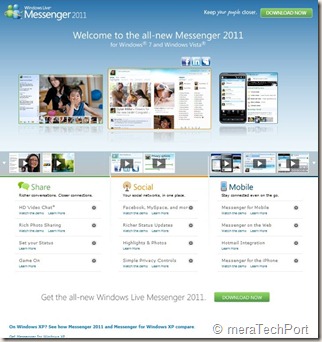
A new site, new demo videos for Windows Live Messenger 2011

WLM2011

A new cool site design , nice looks and lots of demo videos for Windows Live Messenger 2011 for Windows 7 and Windows Vista.


WLM2011site1

Check the site -  http://www.microsoft.com/windows/windowslive/see-it-in-action/messenger2011demo/ 


WLM2011site


Also check the comparison chart  -

See how Messenger 2011 and Messenger for Windows XP compare.

XPWin7cmpremsngr

Friday, October 29, 2010

Harrison Hoffman- Product Manager,Windows Live in conversation with A&M at Microsoft Talk

scaled500


Check Episode 16 of Microsoft Talk, it’s a  Windows Live Essentials 2011 Launch Special with Harrison Hoffman in conversation with Abhishek Baxi and Manan at Microsoft Talk


Harrison Hoffman, Product Manager in the Windows Live group at Microsoft, was also the co-founder of the popular Windows Live blog – LiveSide.net . He talks about recently released Windows Live Essentials 2011 final ver. Check out the Podcast and you may walk away with cool goodies.

Thursday, October 21, 2010

Windows Phone 7 Cloud Integration and other features reviewed at AnandTech – One of the Best massive reviews on Windows Phone 7

We here in India can just read all the reviews now being made available on Windows Phone 7 as the sale of Windows Phone 7 begins in some parts of the World. There are many massive reviews being made available at various sites. I came across one of them at Anandtech – reviewed by Anand Lal Shimpi & Brian Klug .

windowsphone7cloud


This review is one of the best I have come across, filled with tons of big, clear screenshots with all the details. They have reviewed using the HTC Surround, Samsung Focus, and LG Quantum 7.

HTCSurround-9586_575px

(Screenshots courtesy – Anandtech )

Some of the review snippets from the site -

Windows Phone 7 is a significant departure from anything Microsoft has ever done in the past, from a UI standpoint that is. In my opinion it’s more beautiful than anything else on the market today - including Apple’s iOS.


 Flipping through pages upon pages of square app icons just isn’t the most efficient way to do it. ………… When you unlock your iPhone or Android phone you’re dropped into what’s effectively your smartphone desktop. In iOS, that’s just a collection of app icons with a 4-icon dock at the bottom. Android gives you more of a modern desktop with icons and optional widgets. Windows Phone 7 effectively drops you into the first layer of a start menu - that’s your desktop.


Embarrassingly Smooth -  A more accurate codename for the UI would have to be Liquid - there’s just no other way to describe the interface other than fluid.


Check the complete massive, one of the best reviews, surely you will have to take some time to read the complete review.

The Windows Phone 7 Review at AnandTech

(Tip: Click on the ‘Print this article’ and get the complete review in one shot)

Also Read what others are saying about Windows Phone 7 in this collection of selected top news stories

Tuesday, September 28, 2010

Windows Live partners with WordPress.com to migrate 30 million Windows Live Spaces users to WordPress

Looking at the Blogging needs and what different companies were providing Windows Live announced an exciting partnership with WordPress.com. So a migration path for 30 million Windows Live Spaces users will be provided to upgrade their Spaces blog to WordPress.com.

WordPress.com was chosen as a partner because of its host of impressive capabilities – from a scalable platform and leading spam protection, to great personalization and customization. WordPress powers over 8.5% of the web, is used on over 26 million sites, and WordPress.com is seen by over 250 million people every month. So rather than having Windows Live invest in a competing blogging service, it was decided the best thing to do for customers was to give them a great blogging solution through WordPress.com.


WLSWP


As part of this project, WordPress has added support for Messenger Connect as a Publicize option, which enables you to automatically share updates to your WordPress.com blog with your friends who use Windows Live Messenger.

This migration of Spaces users to WordPress.com will be an easy upgrade path via Automated content migration with easy account set up .WordPress has created a brand new importer for Windows Live Spaces to WordPress.com.

One also will be provided with the download option to download the Spaces content in human readable, well structured HTML  before upgrading to WordPress.com.

If a user already has WordPress blog , he can merge a spaces blog with a current wordpress blog .

Visitors will continue to have great experience as blog articles will be redirected.

Spaces Users can take with them/download blogs, inserted photos, videos. Comments without spam to WordPress.com. Option for Comments as is can be downloaded.

Gadgets, theme/skins can not be moved to WordPress. com. Similarly  draft posts, guestbook, notes, lists  won’t be available to move and are recommended to be manually  backed up if required.

With the announcement, the option will be available to users and they can still continue to use Spaces. You have time until March 2011 but you should upgrade to WordPress.com today!

  • For now, you can still make posts to your Spaces blog, and you can decide when to upgrade.
  • Starting January 2011, if you haven't upgraded yet, Spaces will be read-only and you will no longer be able to add content to your Spaces blog, but your existing content will still be visible. The same options to upgrade, download or delete your blog will still be available.
  • March 2011 will be the last chance for you to get your stuff. Why not upgrade today?

“And when Windows Live Essentials 2011 releases later this fall, Windows Live Writer will also use WordPress.com as its default blogging solution.”

For step-by-step migration Path of Spaces to WordPress Screenshots , please check

How to upgrade and migrate your Windows Live Spaces blog to WordPress – Screenshots


Source : WordPress.com and Windows Live partnering together and providing an upgrade for 30 million Windows Live Spaces customers

Welcome Windows Live Spaces Bloggers

Thursday, August 19, 2010

[FIX] ‘No Internet Connection…’ Error during installation of Windows Live Essentials Beta Refresh

Yesterday an update to Windows Live Essentials 2011 beta was released. And while installing some faced problem where they were getting the error message “No Internet Connection…” and the installation failed even though they were connected to net. It was happening even using the Full offline installer.

Soon Windows Live Team swung into action and said -

“The problem you're running into is that the Windows Live Installer not only installs the language you selected, but also tries to install the Windows Live language resources that match your OS language (this avoids language switching problems later when using Windows Live client applications).  Unfortunately, the Windows Live Beta Refresh only ships in nine languages (much more coming for the final release) and when the installer tries to find these additional language resources, they are unavailable and hence the error you are seeing.  This error will occur in both the online web-version (wlsetup-web.exe) and the off-line version (wlsetup-all.exe). 

This will not be a problem in the final release as all languages will be available, but we're investigating workarounds such as temporarily changing your OS language settings and will post info here once a workaround has been confirmed to be effective.”

So one has to temporarily change their OS language to English and install.


Today they have fixed it and they have posted this -


“A fix for the "no internet connection" error you encountered has been released.  Please retry and reply if you continue to see errors in your installation experience.

Root cause is that we added functionality to the Windows Live Installer to also install language resources matching the Windows OS language and mistakenly included references to languages that are not available until the final Windows Live release.  Users installing on an OS language other than one of the nine languages released for Windows Live would have encountered this failure (English is just another language and not a unique cause of this error). 

We apologize for the negative experience and inconvenience and appreciate you using Windows Live and for providing feedback.  From this, we are updating our release tools to detect and avoid this problem in the future and investigating changing our error messages to be more helpful.”


Tuesday, May 18, 2010

Conversation View – What’s new in Hotmail

HMW4logo
As you know Microsoft has previewed the Next Generation of Hotmail. Here, I’ll try to take up its cool new features one by one. There are so many cool things about the New Hotmail . Let us start with Conversation View -

The New Hotmail has provided a Conversation View feature. We generally have ‘conversation’ over the email with someone or several people over an extended period of time. Like if you have sent a mail fixing an excursion with group of people, and each will be having their opinion and replying the mail. And this leave pieces of that conversation haphazardly spread throughout the inbox in individual snippets.

The new Hotmail brings all those snippets together so you can view the entire conversation in one place. You just have to Choose the option of ‘Arrange by Conversation’ , that’s all. And the Conversation History will be grouped in the same view making it easy to follow the whole conversation.

HMDFConvView

conversation_view_read
And you can switch it off as everyone does not prefer to have this. So just change it to ‘Arrange by Date’ or other option . So you can Switch the ‘Conversation View’ On or off. Also note that Gmail has conversation threading permanently on, and no way to turn it off.
Check out the Demo video of the Conversation View
HMvDO

This is one of the very cool features. Look for more cool features in my next blog post.


Thursday, May 13, 2010

New Version of Windows Live Wave 3 available – Minor updates

Yesterday I got this tweet from Windows Live Writer Team -

New version of Wave 3 Windows Live Writer. No new features but higher quality. Upgrade today!Wed May 12 07:30:54 via web

Windows Live Writer
WLWriter


And so decided to upgrade it, but when I tried from within Windows Live Writer, Help > Check for updates , It said ‘You are running the latest ver…”

So I went to http://download.live.com/  and from there upgraded Windows Live Wave 3 . It not only upgraded the Writer but all Windows Live Apps - Messenger, Movie Maker, Mail , Photo Gallery, Writer.

Before the upgrade I had this version -

WLWriterWwave3Befupdt


And after upgrading -

WLWriterWwave3AFTupdt


So the Windows Live Writer, Messenger, Mail, Movie Maker, Photo Gallery all upgraded to Build 14.0.8117.416 And as the tweet said – No new features but higher quality.

I think this is for all the Apps and not only for Writer as I haven’t noticed any new features in other apps also.

UPDATE: (13May2010, 6:50AM) : And here’s the official word about this update- Minor update to Essentials released today

Today we released an optional update for Wave 3 of the Windows Live Essentials suite in all 48 languages. This is a minor release that updates Windows Live Messenger, Mail, Family Safety, and Sync. You can install it from http://download.live.com, or through Microsoft Update as an optional update. While this is our last planned update for Wave 3, we will continue to support this release for the foreseeable future as it will be the last version that supports Windows XP.

This is a minor release with a small set of targeted bug fixes and minor changes. Even though most users will not run into the issues we addressed, we felt they were important to fix. This update also contains a small set of changes to ensure that Essentials supports new advances coming in Wave 4.

Rest assured, we’re continuing to work hard on Wave 4 and are in the final stretches. This update is a first and important step in that direction.


Tuesday, May 04, 2010

Windows Live PM Bryan Saftler talks about Windows Live !

Check out this video of Bryan Saftler- PM, Windows Live where he talks about Windows Live and also share some of his college days memories -


(Source: Student Lounge)


Tuesday, March 09, 2010

The Answers Windows Live Forums now moved to new look Windows Live Solution Center

Microsoft has moved its Answers Windows Live Forums category to the new look Windows Live Solution Center 

answewlscz

Earlier Windows Live Solution Center (WLSC) provided solutions to only Hotmail related queries but now its offering to all the Windows Live products. (Click on image to enalrge)

WLSC12 Click on image to enalrge


Windows Live Solution Center, a Community for Windows Live products and services where you can find Microsoft Certified Solutions. Post your own questions in the forums, or help others by providing your answers.

And now For Microsoft Answers has communities for Windows, Microsoft Office, and Microsoft Security Essentials.


Tuesday, March 02, 2010

Windows Live Writer plug-in for Split posts in Blogger based blogs

 wlwbloglogo The option for split post on WordPress and couple of other blog engines have been provided in Windows Live Writer but not for Blogger based blog as this feature was not available in Blogger based bogs.

But since some time Blogger has implemented this feature Creating 'After the jump' summaries and one could implement this feature while using the Blogger post Editor.

“After the Jump is a feature which lets you create expandable post summaries in your blog posts, so longer posts appear as an intro with a link to Read More..”

Wednesday, December 16, 2009

Inside Windows Live – A new official blog on engineering behind Windows Live

insidewinlive_banner

For everything related to Windows Live, there was the official Windows Live Team Blog called Windows LiveWire which used to consolidated blogging efforts for all of the different Windows Live teams into a single blog. Now another official blog called Inside Windows Live has started which will complement the Windows team Blog. This blog will be a part of The Windows Blog.

Inside Windows Live Blog will not only bring more details about what new things are coming up, but also why and how.

The new blog “will be dedicated to software engineers, web industry insiders, and to our most passionate Windows Live customers, those who want to dig a little deeper into how we build our services and how they’re used worldwide.”

The blog will start by giving the current state of Windows Live software and services, including Hotmail, Messenger, SkyDrive, and Essentials suite of client software.

The new blog hosted on The Windows blog will give better options for monitoring and gathering feedback—via comments, direct mail, and even hosted IM conversations.

Chris Jones,Corporate Vice President, Windows Live will himself will be blogging regularly along with the lead engineers on his engineering team, who will be able to give deeper insights into each of the products they work on.

This is a nice initiative and instead of getting rumors on the products on the net, one can get authentic info related to Windows Live.

Here’s the link to the new Blog- Inside Windows Live  - The engineering behind Hotmail, Messenger and Windows Live

(Source:Building Windows Live)

Thursday, November 26, 2009

How to access Office Web Apps ?

Office Web Apps makes it so easy to create, edit and share your documents online and many of you must have already tried earlier. But there were many who didn’t had access and couldn’t try it. Now everyone can access Office Web Apps. As MS Office 2010 beta is publically  available , anyone can try office Web apps as well.

For this first download and install MS Office 2010 beta . If you haven’t tried this you should, to see various improvements to MS Office with lots of new features.

Now create a Word, Excel or PowerPoint document and save it to SkyDrive from File > Share > Save to SkyDrive, a Free 25GB  storage service on Windows Live to store your docs.

getoffwebapps1z

It will ask you to sign-in with your Windows Live ID

getoffwebapps2z

So select a folder in SkyDrive, click on ‘Save As’ type a name of your doc and save. Now your doc is save in SkyDrive.

getoffwebapps3z

Now Click File > close.

Now from your IE browser goto http://skydrive.live.com and sign-in with your Windows Live ID. Select the folder where you had saved your doc. Click on the filename and select View.

getoffwebapps4z

So when you click on View, you will be prompted to read and accept the terms of use to Join the preview program of Microsoft Office Web Apps Technical Preview /Beta. Click on Accept.

getoffwebapps5z

Now you can access Office Web Apps and can create, share, edit  your docs online though in limited way as its still in beta.

getoffwebapps7z 

getoffwebapps8z

(Click on Images to enlarge)

So try it out now, Office Web Apps has made so easy to create your Word, Excel, PowerPoint and OneNote Online.

Friday, October 02, 2009

Creating Time-Lapse Videos with Windows Live Movie Maker

Do you want to make a time-lapse video that will show an event happening in a long time and you will time-lapse to show it in a short duration. For example the following video shows Jade building an airplane from Lego’s which will take long time but you want to time-lapse and show the complete process in a jiffy.


http://www.youtube.com/watch?v=mIzEKFjtwIg

Another example of such time-lapse video is posted here. There are lots of instances you can think of, for Time-Lapsing an event.

Now let us make such a video with Windows Live Movie Maker. First, fix the camera on a tripod. Making use of tripod will give you better uniform level photos of the event. Now keep on taking snaps after some interval of the event you want to time-lapse manually or with software that came with your camera. Take lots and lots of picture to get a better time-lapse effect. Here, a small tip- Try taking photos using laptop Web-Cam instead of regular camera and take pictures after regular interval automatically using some software like AvaCam or Microsoft Powertoy for XP- Webcam Timershot (this may work only with Windows XP). Such apps will help you to take photos automatically after a certain interval of time and save them.

Now after getting lots and lots of pictures, load them into Windows Live Movie Maker. After loading them select all pictures (by right clicking > Select All) and set the Duration to a low value such as 0.3 sec.

WLMMtimelapsez

That’s all and save them and run the movie to see the time-lapse effect.

Thanks to Windows Live Team Blog post for this tip -The “grown up” side of Windows Live Movie Maker where you can also read some more Movie maker related tips.

If you are not having Windows Live Movie Maker, you can get it from here . And its FREE !

Wednesday, September 16, 2009

New Keyboard shortcuts in Hotmail Wave4 M1, including those to match Yahoo, Gmail

As said in my earlier post ‘New features coming to Hotmail Wave4 M1 release’ about various updates Hotmail Wave4 M1 will be getting, here’s a complete list of new keyboard shortcuts introduced in Hotmail Wave4 M1 release including shortcuts to match both Yahoo and Gmail. These updates have started to roll out and will be done in stages, so these options may not be seen for all users at present. Everyone will be getting these updates by the end of September.

A new page in Options has been added to Windows Live Hotmail Wave4 M1 to choose what type of shortcuts you'd like to use. To choose the mode of keyboard shortcuts or to turn off keyboard shortcuts, follow these steps:

Go to Options > More options > Under ‘Customize your mail’ , choose ‘Change keyboard shortcuts’ > Select which mode you'd like to use -

-Turn off keyboard shortcuts 
-Hotmail and Outlook Web Access (OWA) 
-Yahoo! Mail 
-Gmail

Click Save.

HMKBscutsoption (Image courtesy: Windows Live Team Blog)

The Yahoo! Mail and Gmail modes support many of the shortcuts from those services.

Here's a full list of the keyboard shortcuts available:

keyboardshortcut (Click the picture for enlarged view)

(Source: Windows Live Solution Center)

New features coming to Hotmail Wave4 M1 release

Lots of new features is coming to the Windows Live Hotmail Wave4 M1 release. These updates have started on August 31st, and will be rolled out in stages over the coming weeks and will be completed all over by September end. This has been posted by a Microsoft employee at the Windows Live Solution Center. But I haven’t heard anyone getting these updates yet.

Here’s the complete list as posted at solution center:

Auto Refresh of Inbox -

If a user is logged into WebIM, their inbox will automatically refresh. Currently this is set to 60 seconds.

Please note that customers currently will not have an option to change the refresh interval or turn off this option.

Auto save Drafts -

Emails are now automatically saved to the drafts folder while a user is composing them. This is currently set to 3 minutes.

Please note that customers currently will not have an option to change the save interval or turn off this option.

Keyboard Shortcuts -

Lots of keyboard shortcuts, including shortcuts to match both Yahoo and Gmail. A new page in Options to choose what type of shortcuts you'd like to use. (A detailed post on keyboard shortcuts soon)

Contact Picker Improvements -

Users can now edit contacts in compose, recently e-mailed data used in auto-complete and contact picker, copy/paste enabled for IE, verify recipients enabled

Verify recipients: When the user types in an email address, upon completion of the email address, Hotmail verifies if the email address is "valid".  If the recipient is bad, it is flagged "Red" and the user can edit the entry. When the user hovers over the email address, we will show a tooltip that explains the email address is bad.

contact_picker_improvements

Download all attachments -

If there are multiple attachments on an email, they can now be downloaded together as one zip file.

download_all_attachments

WebIM Contact List -

Buddy list of online friends now available from the WebIM Dropdown

webim_contact_list

Mobile browser improvements -

A number of backend changes to improve performance on mobile devices/browsers

Action Bar at bottom of page -

Reply/Forward/Delete is now available from both the top and bottom of an email 

Action_Bar_at_bottom_of_ page

So these are the updates which will be rolled out in the new version of Hotmail Wave4 M1. As you can see these are all very practical and useful updates and will further enhance the Windows Live Hotmail. Hope we will start seeing them soon.

(Source: New/changed features in Hotmail Update)

Monday, August 24, 2009

Windows Live Mail Updates

WLMail_logo Recently a new ver of Windows Live Movie Maker was released and was out of beta.  And along with it updates to Windows Live Essentials thus updating all Windows Live Essentials Apps which also includes Windows Live Mail were released. Let us see what are the issues in Windows Live Mail that have been updated.

-- I had this problem in Windows Live Mail where one closes the app will appear to close but keeps on running in background and we could check it in Windows Task Manager (wlmail.exe keep running). And if we wanted to start it again , WL Mail will not start and another instance of it starts to show up in Task Manager. So as I knew this problem, I used to kill the running process from Task manager and then it used to Open again. A feedback about it was provided as many others were also facing this.

Now in this new update this issue has been corrected. Thanks To WL Mail Team ! Now ‘Recover Disk Space’ should also work properly.

Other updates are-


-- Windows Live Mail can now properly import Outlook Express mail account settings that were transferred from a Windows XP to a new Vista or Windows 7 system using the Windows Easy Transfer wizard.


-- On Vista and Windows 7, Windows Live Mail wouldn’t connect properly to POP email servers using SSL. In particular, this affected some users of Yahoo! Mail.

The update is version 2009 (Build 14.0.8089.0726), You can check it from Help > About Windows Live Mail

WLmail

So if you want to update all your Windows Live Essentials Apps and also get the new Windows Live Movie Maker (which has got very good response from its users) just go to  http://download.live.com 

(Source:Windows Live Mail Update Details)

Windows Live Tags: clubhouse, Mail, updates, Essentials