Showing posts with label Easter Eggs. Show all posts

Monday, September 14, 2015

Microsoft wishes 8-bit day with an Easter egg

13th Sep is celebrated as 8-bit day which this year marks the 30 years of Super Mario Bros. Microsoft too celebrated and wished Happy 8-bit day with a nice Easter egg.

Here are the details how to crack this Easter egg:

↑ ↑ ↓ ↓ ← → ← → B A

that is up, up, down,down, left, right, left, right , b,a  (this is the Konami code which was the famous cheat code appearing in many Konami video games) I think it works only on US version, so use the above link only.

  • and you can see a pixelated version of Ninja Cat riding a T-rex across the screen at bottom and it will be dropping coins.

8bit01

8bit02

  • And you’ll also see pixelated  ‘Insert coin to play’ . Just drag one of the coin to the slot and the user will be greeted with a message from Microsoft ‘Microsoft.com wishes you a Happy 8-bit day!’

8bit03

Its very nice Easter egg, give it a try. This Ninja Cat has become very popular after Microsoft started using this as a sticker. Recently similar T-Rex GIF animation Easter egg was seen in Skype too.

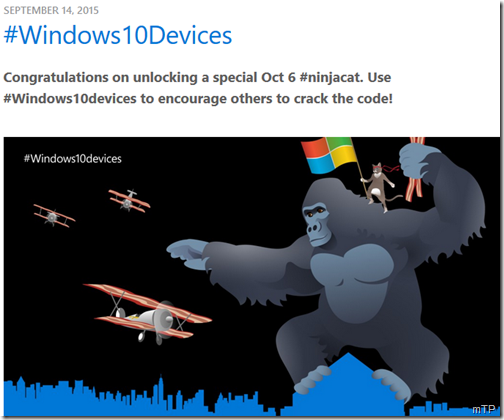
EDIT: Microsoft sent invites to its Windows 10 devices event which had some binary codes on the image. On cracking this, Microsoft links to a webpage with a new ninja cat wallpaper  http://blogs.windows.com/bloggingwindows/windows10devices/
8bit04 

Go to the above link to get the full sized wallpaper.

Sunday, December 06, 2009

Windows 7 Easter Eggs

I know these days Microsoft does not provide any Easter Eggs in its products as Easter Eggs or any hidden features present in an OS or other products are not legal. So one can’t expect Easter Eggs in Windows 7 also. But Easter Eggs used to add some Fun and the users just explored every nook and corner to find it. Now what I am talking of may not be any hidden feature of Windows 7 but kind of an Easter Egg and will try to explore it.

In the recent video at Channel10 - Progression of the Iconic Background ,  Larry Larsen talks to Denise Trabona to know about how the default Windows 7 background was designed. And in the end talks about the Easter Eggs. Those who have used Windows 7 Beta may be knowing about the 7 Bubbles of betta fish desktop background of Windows 7 beta.

7Eastereggs1z

Similarly there are such interesting tidbits in the Final RTM version of Windows 7 in its default theme in logon and default desktop background.So there are more such 7s to explore.

7Eastereggs3

logon

Above screenshots are of default Desktop theme and log-on screen of Windows 7 RTM.  So here you can find more of interesting 7s.

Like you can find 7 leaves on the branch, both in desktop and logon screens.

7Eastereggs2z

logonz

There are 7 light strands throughout in the desktop background. Count them.

There are 7 elements working in the 4 Quadrants.

4Q

I’m not sure how to name those elements but still you can count them as circle, tree , butterfly, grass, bird and what you call those glittery things, so make them 7 elements.

And similarly there are such 7s on logon screen, I hope readers will pick it up as I’m still trying to figure it out also correct me on the above said elements with exact names.

Here’s the Video of the same which just shows the Easter Egg part of the whole conversation.

If you want to view the complete video , you can do so at Progression of the Iconic Background

Its an interesting video. Watch it.