Showing posts with label India. Show all posts

Saturday, November 03, 2018

Indic Phonetic keyboards for Hindi and other Indian languages now available for PC

This must interest those who write in an Indic language. With release of Windows 10 Insider Preview build 18272, support for Indic Phonetic keyboards have been added. In addition to the Indic Traditional INSCRIPT keyboards already available, with this build Indic Phonetic keyboards for Hindi, Bangla, Tamil, Marathi, Punjabi, Gujarati, Odia, Telugu, Kannada and Malayalam have been added.
So with this support, as you type, it gets transliterated to suggested possible Indic text. For example, if you typed “namaste” using the Hindi Phonetic keyboard it would suggest नमस्ते, as you can see in the below gif:

One having knowledge of any of the above stated languages can try with either the hardware or touch keyboard.
Here are the steps to get started:
  1. Select Start > Settings > Time & Language-> Language from the navigation menu.
  2. Select the + icon labeled [Add a preferred language] (or skip ahead to step 4 if your preferred Indic language was already added).
  3. Type the name of an Indic language into the search box and select it – for example “Hindi”. Click the Next button and install the Indic language on your device, which will return you to the Language page.
  4. Now back on the Language page, click the one you just added, and then click the Options button. This will take you to that language’s options page.
  5. Select the + icon labeled [Add a keyboard].
  6. Enable the Phonetic keyboard, for example [Hindi Phonetic – Input method editor] – now the languages options page will look something like this:

      7.Click input indicator on the taskbar (or press the Windows key + Space) and select the Indic Phonetic keyboard. Time to type something!
Note: The dictionaries used for the Indic Phonetic keyboards need to be downloaded. Right after adding the keyboard, please connect to Internet – you may need to wait a bit for the dictionary download to finish.

Friday, December 30, 2016

Windows Scoop Fans program for Windows Insiders in India

Microsoft is launching a new exclusive program for Windows Insiders in India. Its called the “Windows Scoop Fans” program.

WIP

This program is designed for most enthusiastic Windows fans and compliments the Windows Insider Program.

What Windows Scoop Fans will get?

Those selected to join will get access to a private Facebook page loaded with exclusive updates on Windows, including news on the latest apps and devices. Member will also get valuable tips and tricks, invitations to Windows fan events and more.

How to join this program?

In the mail sent to Windows Insiders, Microsoft has detailed how to join this program.

Send us an email answering this one question — ‘Why I’m the biggest fan of Windows’. Tell us about a favourite feature, a Windows app you’ve created or how Windows helps you do great things. We’re open to a wide range of responses. And feel free to add photos, videos, etc.

Last date for submission is 5th Jan 2017 and selection by 15th Jan. Interested Insiders should hurry up and get selected.

Tuesday, October 06, 2015

Add a Hindu Saka Calendar in Mail and Calendar app

With the latest update to Windows 10 Mail and Calendar app, apart from other new features, the app also added support for additional calendar types.

Alternate Calendars:

Open the Calendar app, From Settings > Calendar Settings > scroll down to Alternate Calendars.   It includes support for English, Japanese, Chinese (Simplified), Chinese (Traditional), Arabic, Persian, Thai, Korean, Hebrew and Hindi. And selecting any of these languages will provide options supporting these alternate calendars: Gregorian, Hijri, Umm al-Qura, Hebrew Lunar, Saka Era.

SakaCal01

So to enable Hindu Saka Calendar in Hindi, first check the Alternate Calendars box. Then select Hindi and this will enable Saka Era. The month and the dates will be displayed along with the English month name and the dates. The month name will be displayed in Hindi.

SakaCal02

SakaCal03a

Similarly one can choose other Alternate Calendar types too.

SakaCal03

This Mail and Calendar app ver is17.6303.42251.0 running on Windows 10 Build 10547. So if you are running the Windows 10 RTM , please check if its available or not.

Saturday, December 27, 2014

Post2Beat challenge for Microsoft Forum contributors

If you are a Microsoft Forum contributor, here’s a fun challenge! This is for all those Community Contributors who love to share knowledge with everyone via the Microsoft Forum Posts.

post2beatlogoz

One has to Register for the Post2Beat challenge and maximize Forum Contributions and be a winner.

  • This challenge is open to everyone from India, Nepal and Bangladesh.
  • Microsoft Forums namely MSDN, TechNet, Community, ASP.net and IIS.net are considered for this challenge.
  • Post2Beat is open from Dec 23, 2014 to Jan 22, 2015.
  • One doesn’t have to report about ones Forum points/contribution but just have to register with your Forum Profile. Contributions will be reviewed on the last day of Post2Beat Challenge and winners will be notified via email and also will be announced during South Asia MVP Open Day 2015 (Jan 22-24) at Bangalore.

Please check http://post2beat.sageframe.co/ for registering and other details.

Tuesday, March 18, 2014

Virtual Tech Community Conference 2014

Virtual Tech Community Conference (VTC) is an online event by Microsoft and will be held on 19th Mar 2014. Virtual Tech Community-Conference has interesting line-up of speakers and exciting topics. There will be 2 tracks conducted simultaneously- IT Pro Track and Developer Track. Each session will be of 60 min. If you haven’t yet registered for the sessions, do it now. Here are the various topics of the sessions. For timings and registrations, please check the link given below-

VTC 2014: ITProTrack

  • The Best Use of SharePoint 2013 Social Features on Enterprise Level
  • Windows 8 Productivity tools
  • Performing multi-machine virtual deployments using PowerShell
  • Demystifying SQL Server Backups
  • Performance tuning in SharePoint 2013
  • Exchange 2013: Transport and Mail Delivery
Click here for registration and other details of IT Pro track

VTC 2014: DevTrack

  • Introduction to Windows Azure Media Services
  • Async Programming using C# 5.0
  • Big Data Using Microsoft Azure
  • Building a Multi-lingual Windows Phone App
  • Building Apps for Windows & Windows Phone
  • App to App Communication in Windows Phone 8

Click here for registration and other details of IT Pro track.

If you are on social media, can also check #VTC #VTCC2014 #ComCamp2014 hashtags.


Sunday, November 17, 2013

Microsoft pays tributes to Sachin Tendulkar

Microsoft paid rich tributes to the Little Master, The Master Blaster Sachin Tendulkar. Microsoft India showed gratitude, admiration in various forms in their various products social accounts.

The Xbox 360 India tweeted –

The best ever. And he was ours. Thanks for the memories #Sachin .

sachinxbox

While the Windows account said

SachinWindows

Earlier, on the start of Sachin’s last Test Match Internet Explorer had wished him

Wishing ‘the God of Cricket’ all the best for his final Test!

sachinIE

Tuesday, October 23, 2012

Nokia Lumia 510 announced – Specifications

The most affordable Lumia so far, Lumia 510 has been launched as it was announced today in India. The entry-level smartphone comes in five eye-catching colors: red, yellow, cyan, white and black.

Nokia_Lumia_510

Here’s the complete Specs -

  • Display: 4-inch WVGA 800×480 TFT, capacitive touch screen
  • Memory: 256MB RAM (4GB internal storage)
  • Camera: 5-megapixel auto-focus; video recording in VGA resolution @30fps
  • Size: 120.7 x 64.9 x 11.5mm
  • Weight: 129g
  • Connectivity: GPRS/EDGE, WLAN 802.11 b/g/n, Bluetooth 2.1 + EDR, GPS/A-GPS, micro-USB, 3.5mm audio connector (AHJ + WP Controls), Dual Transfer Mode
  • Processor: Snapdragon S1 800MHz
  • Talk time: (GSM/WCDMA) Up to 8.4 h/ 6.2 h; Standby time: (GSM/WCDMA) Up to 653 h/ 738 h
  • 1300 mAH battery
  • Powered By Windows Phone 7.5

You’ll also have instant access to the best mobile navigation and location services available today, in the form of Nokia Maps, Drive and Transport.

The Lumia 510 also comes with 7GB of free SkyDrive cloud storage, allowing you to store and access your photos & videos almost anywhere

The Nokia Lumia 510 will be available to buy starting in November in India, China, South America and Asia. It will cost approximately USD199, before any local taxes and operator subsidies.

Update: As  per @NokiaIndia tweet, Lumia 510 will be priced below Rs.11000 in India

(Source:Nokia )

Thursday, October 11, 2012

Send SMS in Gmail now comes to India

Gmail has now started rolling out Free SMS feature from Gmail for users in India. One can send SMSs from chat window to mobile phone.

gmail free sms2

  • Use Gmail Chat to send SMS
  • Responses will appear as a reply in Chat 
  • Conversations will be stored in your Chat history, just like regular chats.

Step 1: Type the phone number you want to send an SMS to and click Send SMS

Step 2:  Add the SMS recipient’s name and country, then click Save

Step 3:  Write in your message in the chat window and press Enter on your keyboard

Done!  Your message has been sent.

The service starts with 50 SMS credits for each user.SMS credit is an allocation of SMS (text messages) that you're able to send to a mobile phone:

  • Initially, you're granted a credit of fifty messages.
  • Every time you send a message, your credit decreases by one.
  • Every time you receive an SMS message in Chat (for example when a phone user replies to one of your messages) your credit increases by five, up to a maximum of 50.

If your SMS credit goes down to zero at any point, it will increase back up to one 24 hours later. So, you won't ever be locked out of the system.

Keep in mind that if you'd like a higher message credit, you can always send an SMS to your own phone, and then reply to that message multiple times. Every time you send a reply message, your SMS credit is increased by five. Effectively, you're buying more messages by paying your phone company for these outgoing messages.

Block SMS from Gmail

If you receive an unwanted SMS message from Gmail Chat, you can block future messages from the sender. Just reply to the message with the word 'BLOCK'. If you change your mind about that sender, you can send a message with the phrase 'UNBLOCK' to the phone number from which the message was sent (the SMS messages sent from Gmail Chat have their own number associated with the sender's email account).

All mobile operators are supported in India for SMS Chat in Gmail.

(Source: Google )

UPDATE: Tried sending SMS via Gmail to mobiles on Airtel ,BSNL service providers but getting error & SMS credit too shown at that moment as decreased but later gets credited if SMS not sent. So at present the service might not be properly activated.

Monday, July 09, 2012

Microsoft Indic Language Input Tool has a new URL


ILITWebpage_Title_394x112

The Microsoft Indic Language Input Tool now has a new URL  http://bhashaindia.com/ilit/ 

Today Microsoft India has tweeted about it -

Microsoft Indic Language Input Tool helps you enter Indian language text easily into any application in Microsoft Windows or on any page on the Web. The primary input mechanism is transliteration. Additionally, it provides a visual keyboard to assist with editing words that do not transliterate properly.

It’s a very useful tool for using various Indian languages in various services as in tweeting, presentations, chatting etc. Just type in English and it gets transliterated into Indian language of your choice.

At present it supports -

Bengali, Gujarati, Hindi ,Kannada ,Malayalam ,Marathi ,Oriya ,Punjabi ,Tamil ,Telugu.

Give it a try now - http://bhashaindia.com/ilit/

(Also chk- Tweet, chat, do Presentations in Hindi and other Indian languages with Microsoft Indic Language Input Tool )

Thursday, April 12, 2012

India’s AICTE chooses Microsoft for largest cloud deployment!

All India Council for Technical Education (AICTE) announced today that AICTE is deploying Microsoft Live@edu over the next three months to more than 10,000 technical colleges and institutes throughout India.The cloud deployment will expand students’ access to high-quality technical education and collaboration.

LiveatEDUcomb

The press release said -

“Live@edu is a hosted communication and collaboration service that offers email, Microsoft Office Web Apps, instant messaging and storage to AICTE’s more than 7 million students and nearly 500,000 faculty members, for a total reach of 7.5 million users — roughly double the size of the Los Angeles population — making AICTE Microsoft’s largest cloud customer ever. Live@edu is the first step in AICTE’s deployment of Microsoft cloud computing for education. AICTE also plans to deploy Microsoft Office 365 for education when it becomes available later this year, providing access to Microsoft Exchange Online email and calendar, Microsoft SharePoint Online, Microsoft Lync Online and Microsoft Office Professional as the technical infrastructure to support member colleges and institutes.”

Part of India’s Ministry of Human Resource Development, AICTE is the governing body for technical education in India, certifying and managing technical colleges and institutes in a country where the technology industry and higher education are both becoming increasingly vital to the economy.

AICTE reviewed solutions from a range of vendors, including Microsoft, IBM and Google. One of the major factors in the decision to choose Microsoft’s cloud services for education was Microsoft’s comprehensive commitment to education across all the company’s products and programmes, as well as the system’s seamless interoperation with the entire Microsoft product portfolio. The council was also impressed by Microsoft’s extensive experience in higher education and ability to deploy a system across geographically distributed locations without adding significantly to the institutions’ IT management costs or complexity.

The implementation is already underway and is being managed by Microsoft and a set of Live@edu partners. Full deployment is expected to be complete by summer 2012.

Live@edu is the leading cloud suite for education, with more than 22 million people using the service worldwide. At 7.5 million users, the AICTE deployment is the largest cloud deployment ever. Other recent Live@edu adoptions include a 700,000 cloud-based collaboration solution for the Kentucky Department of Education. The online service helps educational institutions provide email and enterprise-grade online tools to students and faculty while helping to reduce costs and simplify IT management.

Live@edu is a no-cost hosted platform for student communication and collaboration, providing industry-leading services to the global education market. Email and calendars with a 10GB inbox, 25GB of additional file storage, document sharing, instant messaging, video chat and mobile email are just part of the feature set.

Check the complete press release here.

Saturday, March 17, 2012

Twitter adds more Indian cities for trend locations and also few more countries

Now Twitter has added more Indian cities for Trend locations. Earlier apart from India as a country and Mumbai as a City were the options. Now it has Ahmadabad, Chennai, Hyderabad, Bangalore Delhi, Mumbai

twitterIndiatrend

Also it has added few countries like Pakistan has been added Check the old Countries list

twtIndOLD

And the new one -

countrieslistnew

Thursday, February 02, 2012

Amazon India goes Live as Junglee !

Amazon India has gone live as Junglee.com .

junglee

Junglee means ‘of the jungle’. We appreciate how overwhelming it can be to navigate the jungle of products, brands, sellers, shipping options, and payment methods, and make informed purchase decisions. Our team is relentlessly focused on organizing selection and buying options to make it simple for you to navigate this jungle and shop anything using our service. We feel the name reflects our passion to deliver on this ambitious goal.

Here are some details from ‘About Us’ page.

What is Junglee?

Junglee is an online shopping service by Amazon which enables customers to find and discover products from online and offline retailers in India and from Amazon.com. Junglee organizes massive selection and multiple buying options from hundreds of sellers, and leverages Amazon’s proven technologies and millions of customer reviews to help customers make smart purchase decisions.

Customers can discover over 1.2 crore products and 14,000 brands, and purchase items directly from hundreds of retailers including Homeshop18, UniverCell, Hidesign, Gitanjali, The Bombay Store, Fabindia, Bata India Limited, Dabur Uveda, Microsoft India Store, Reebok, and Amazon.com. Customers can buy products online by following the link to the seller’s website or find a seller’s physical store if they would rather purchase the product in person or call the seller and place an order by phone.

Can I buy products on Junglee?

You cannot buy directly from Junglee. Junglee puts you in touch with sellers by directing you to their websites, displaying their customer service phone numbers and providing their physical store locations to help you buy the products directly from sellers.

Which sellers list products on Junglee today?

Currently, hundreds of online and offline Indian sellers, and Amazon.com list their products on Junglee. We add more sellers and selection every day so that customers can find anything using our service.

You can also follow Junglee on Facebook and Twitter.

Sunday, December 25, 2011

Ubislate7- the upgraded ver of Aakash tablet to be renamed as Ubislate7+

The upgraded version of Aakash tablet is renamed as Ubislate7+. Earlier it was called Ubislate7. Also the Aakash which was SoldOut is being named as Ubislate7 now.ubislate7

The makers of these Tablets should plan all these earlier else confusion will be created. I think they want to completely separate the commercial version and what Students are getting at Subsidizes rates. So I think all commercial versions to be in the UbiSlate series.

Anyways those who had ordered Online the Aakash (Now Ubislate7) Tablets are getting the mails and can look for exclusive offers.

(Source)

Thursday, December 15, 2011

Nokia Lumia 800 sales starts in India !

As expected the sales of Nokia Lumia 800 started in India, today, as just a few minutes back Nokia India tweeted about the same. Tennis Star Sania Mirza handed over the Nokia Lumia 800 to consumer who had pre-booked their Lumia 800s.

473081824

Sania Mirza giving away Nokia Lumia 800 to consumers who pre-booked at Ambience mall, Gurgaon. (pic courtesy @NokiaIndia)

This is the First Windows Phone from Nokia.

nokia_800_cyan_main-overview

For more details about this stunning phone, check Nokia India.

UPDATE: 16/12/11  From the blog of a person who actually was there at the Ambience Mall, Gurgaon, there were lots of #smallamazings as NokiaIndia describes. Whoever got the Nokia Lumia 800 yesterday at the inauguration sale at Ambience mall got a gift of Xbox 360 with Kinect !! That’s really Wow!! (Source: ZOMGITSCJ ) (<< This has to be confirmed as I’m also getting reports that it was a lucky draw, not all of them got the gift >>  Now confirmed by Clinton Jeff – “ It was supposed to be a lucky draw but Nokia India decided to surprise everyone and give it away to pre-orders yesterday “ )

Also the Lumia 710 went on for Sale. Also there was a  Lumia shaped cake cut….and much more

Below posted Picture Courtesy ZOMGITSCJ

nokiagrg2

NokiaGRG1

For more excellent pictures and first account view of the Inaugural Sale Please check ZOMGITSCJ

Monday, December 12, 2011

Aakash tablet available for purchase, UbiSlate in January

Aakash Tablets has just provided an update about its availability. You can Order your Aakash tablets Online now. Its available only Online. Delivered in a week ‘s time. And its payment is via Cash on delivery.

While UbiSlate 7 - The upgraded version of Aakash can be pre-ordered. Its already got delayed as earlier it was said that by Nov-Dec, it’ll be in the Market. But now this will be made available in January.

aakash

For Ordering and Pre-booking and other details Please check http://www.akashtablet.com/

UPDATE 18/12/11 : The Aakash tablet has been SOLD OUT. So now its only UbiSlate 7 available for Pre-booking.

aakashsoldout

I think this was bound to happen as the UbiSlate (Advanced ver of Aakash) was delayed which was promised for Nov launch. The company might have thought whatever stock of Aakash is there, let it be exhausted as the first lot was given to Students. And anyhow the next lot was that of Ubislate only. So instead of loosing customers by the delay , make the 1st ver of Aakash available to public. Anyhow with overwhelming response its sold out!

And many customers indeed are waiting for Ubislate only bypassing Aakash. So those who haven’t prebooked it, can do it now  at http://www.akashtablet.com/

Monday, December 05, 2011

Nokia Lumia 800 Bookings Opens in India !

Since few days the Nokia India site was providing a form to fill details and submit which in turn will keep you informed about the availability of Nokia Lumia 800 in India.

nokia_800_fuchsia_main-overview

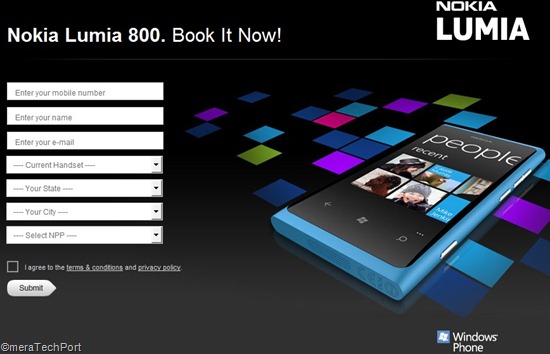
Today they are providing a New form for booking the same at http://www.getnokia.in/800/  So those interested can Pre-order Nokia Lumia 800 .

Lumiapreorder

Its estimated to be priced around Rs.30K (~ $580) . No official word about the pricing though.

  • Also check out at your nearest Nokia Priority Stores for Pre bookings. Be among the first to own The coolest Windows Phone !!
  • UPDATE: Just saw an Nokia Lumia TV Ad which displays another way to pre book Nokia Lumia 800, Just SMS Lumia to 55555

For more details on Lumia 800, please check http://www.nokia.com/in-en/products/phone/lumia800/

UPDATE 06/12/2011:  Just now @NokiaIndia tweeted the Best Buy price of Nokia Lumia 800 – Its Rs.29999/-    So its just a Re less than what I posted earlier its estimated price aboveSmile 

nokiaIndia

Friday, November 18, 2011

Pre-Book your Ubislate (Aakash) tablets now !

The official site for Ubislate – the commercial version of Aakash tablet has put up another form, now for Pre-booking the Ubislate for purchase. Earlier I had posted about the Enquiry form. You can prebook at http://www.ubislate.com/prebook.html 

This is the official site http://www.akashtablet.com/ 

So once you pre-book it, they will email your booking ID for you.

Thursday, November 17, 2011

Commercial version of Aakash tablets in Market by December

We had earlier seen the Launch of the Cheapest Tablet Aakash and also how to book them . It was distributed to Students at subsidized rate of ~$30 while it was supposed to be available in Market for ~$60 (Rs.2999) . And everyone was eagerly waiting for its commercial availability.

The commercial version of Aakash is named Ubislate7 and will have some additional features as compared to present ver of Aakash which was distributed to Students at the launch.

Ubislate7 has GPRS so as to use it as a phone also, there’s option to convert your tablet to 3G , Both GPRS and Wi-Fi can be accessed at a monthly cost of only Rs 98/ 2GB. (~$2),Costs Rs.2999/- ($60)

The commercial version Ubislate7 is soon going to be launched in the market and will be available by Next month as hinted at the official blog.

To get answers to all your questions about Aakash tablet or Ubislate7, you can call at the toll free number 1800-180-2-180. You can also reach by filling the query form available on the official websites www.akashtablet.com and www.aakashtablet.com.

I don’t know what they mean by “We would soon be launching the official link for the pre-booking form”. As this was available earlier also, may be this time they might include the Price also so as to be purchased Online.

Saturday, October 15, 2011

Book your $60 Aakash Tablet

Few days back we had seen the launch of $60 Aakash tablet, Aakash Tablet launched ($30 for Students) – Specs / comparison chart

This tablet is mainly targeted at students and still many of us had queried how to get this tablet. I came across its website where you can book the tablet.

aakashsite1

Book your Aakash tablet at http://www.aakashdatawind.com/ 

The site also provides various other details of this Android 2.2 tablet with a 7” touch screen. Also check the complete specs, various accessories available.

It has also provided a Toll free number 1800 180 2180 and contact as

India Operations:
8148, Jubilee Complex,
Sultanwind Road,
Amritsar – 143001

Price at present is Rs2999 (~ $60)

UPDATE: Because of poor design of the Aakash Tablet website,some people have some reservations about this site and rightly so. Also at footer of site there are many URLs given.So until it gets verified. I'll put a note.
NOTE: Not responsible for the content of external sites . Please ensure before you buy.

UPDATE: Now this Booking webpage has been updated and says it’s the official page.

Aakashnew

Wednesday, October 05, 2011

$50 Aakash Tablet launched ($30 for Students) – Specs / comparison chart

Today the much awaited Made In India tablet was launched.Its named as Aakash (meaning Sky in Hindi). Its mainly meant for Students and will be available at subsidised rate while for masses its cost is ~$60

The Aakash has been developed by UK-based company DataWind and Indian Institute of Technology (IIT Rajasthan)

It was about an year ago the prototype was shown to the public and its cost was estimated at $35.

"Has the device lived up to the $35 price tag?" Technically, it hasn't. The HRD ministry has informed us that the manufacturing cost of the device is $37.98. The sales price of the device however is $49.98 after adding the transportation cost, warranty and other costs. The manufacturer will be able to deliver 1,00,000 units of the device to consumers at $49.98 that is approximately Rs. 2276. So the $35 claim does not hold true in real terms. “

“So, if $37.98 is the cost of the device, what will the institutes have to pay? How much is the government going to subsidize the device? The answer is 50%. An institute that wishes to make this tablet available to its student will pay Rs. 1500 or less, the ministry has informed us.”

(Source NDTV)

Complete Specs -

Name: Akaash (Not Sakshat as was originally called)
Manufacturer: Datawind
Price : Rs 2,276 (about $50)
Dimensions: 190.5x118.5x15.7mm
Screen: 7" resistive
Weighs: 350gms
Operating System: Android 2.2 (Doesn’t have Android Marketplace has Getjar instead)
Processor: 366MHz
Wi-fi enabled only
Connectivity: 2 full USB ports
Memory: 256MB RAM
Storage: 2GB Flash memory + 2GB Micro SD card (expandable to 32GB)
Battery: 2100mAh (Lasts 1.5 to 2 hours when watching HD videos & 3 hours on average use)

GPRS receiver and a SIM card slot will be provided in the lot beyond 10000 units.

When asked about this viable business opportunity -

CEO of Datawind, Suneet Singh Tuli said, it is profitable .“In fact, it is so profitable that he has decided to throw in a GPRS receiver and a SIM card slot into the device without any extra charge to the government. He will still maintain the price point of $37.98. These add-ons are not in the first lot of 10,000 units as they have already been delivered to the Ministry. But the rest of the 90,000 units will have these add ons.”

So we can see a GPRS receiver and a SIM card slot also.


Comparison Chart  (Courtesy NDTV.com)

Comparisonchart

1_052911_132900_1946

9_052911_132902_4048

You do have the option to purchase a carrying case for the device that also supports a keyboard. This will cost you an additional Rs.300 in the retail market.

For more photos please visit : NDTV.com

It will be sold as the DataWind Ubislate for Rs 2999 inclusive of taxes(~$60) from Nov.2011

ubislate

For more details, review, pics, video etc please visit these NDTV.com source links

$50 tablet: From prototype to reality

What features will the Made in India Tablet have?

GadgetGuru Video Review : The Aakash: At $50, the world's cheapest tablet