Couple of days back I received an invite for attending LiveSearch briefing from Live Search team. I was among the select set of MVPs picked for active participation in providing feedback. The Live meet demoed the Microsoft’s new Search Engine called Bing. (internally was called kumo) I was very much impressed by the Bing demo and was very eager to try my hands on Bing. But it was not yet made available. But soon I received the Preview Code for accessing Bing. Thanks to Team Bing !
I can say its very much impressive with its clean interface, helpful results presented in much neater and organized way. This helps in quickly and easily locating the content that matters most.
“In a world of excessive choice and too much information, it’s often difficult to make the right decision. What you need is more than just a search engine; you need a decision engine that provides useful tools to help you get what you want fast, rather than simply presenting a list of Web links. Bing is such a decision engine.”
Here I’ll be posting few screenshots of Bing, depicting some of its cool features. One has to actually use it to get a feel of it rather than reading about the features.
Starting with the Homepage of Bing at http://www.bing.com/ , its most refreshing with a stunning image with a single search box as a starting point. Information hotspots are embedded in the image. The image is changed daily. 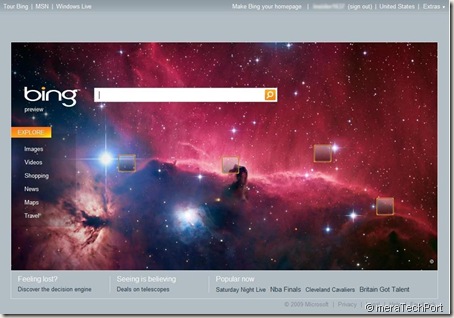
It has clear links for starting your searches for Images, Videos, Shopping, News, Maps and Travel. So the the space is very well utilized. Bottom of the page shows few Current Popular Topics as ‘Popular Now’ and also some other links.

On request they have now added a feature so that one can see the images of past 7 days. 
Bing Auto-suggests as you type. The Explore Pane on the left side of screen lets you easily filter search results. Features in the Explore Pane include categorized search results called Quick Tabs, links to related searches and past searches in Session History. The Explore Pane also can be used in the local, travel and shopping experience for powerful refinement of your search results.
Here are some screenshots-
 See how Bing does the grouping of the top search results into categories known as Web Groups.
Quick Tabs offer easy access to the Web Groups relevant to your search. These tabs put the most common refinements for your query term at the top left of the Explore Pane

User interface and space utilization has been neatly taken care of. If you just click on Images on the Home Page without entering any search term, even then it provides some useful images of today’s Home page pic.

The ‘Travel’ option is very much improved and provides lots of info in taking travel decisions.
 Provides info on Lowest fares by departure dates.
Provides travel map- 
Provides all the hotels info in an organized way-  Length of travel

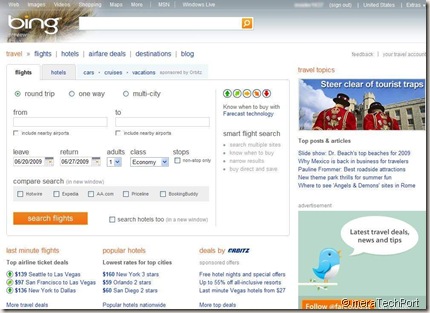
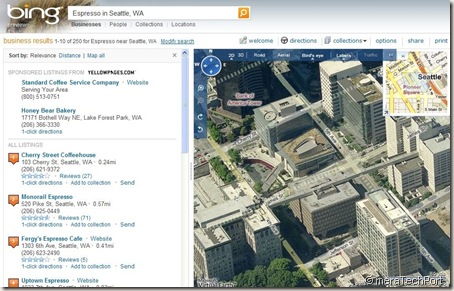
The image and video searches are my favorites with lots of cool features.
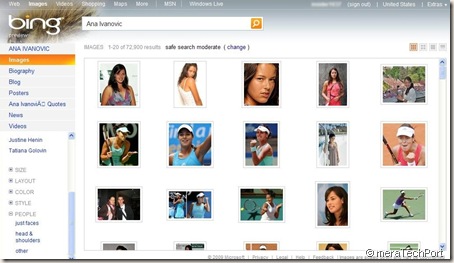
See how it provides Quick preview of the results,

Even you get a preview of videos as it plays a short 30sec clip , if you hover over any video.
These are just some of the screenshots. One has to use it get the feel of it. Looking at all these is refreshing, very helpful in making decisions. There are lots of cool new features, which I’ll cover in my subsequent posts.
You can get Bing’s fact sheets, reviewers’ guide, interactive product guide all at Virtual Press kit.
This new service replacing LiveSearch, located at http://www.Bing.com, will start rolling out on 1st june and will be deployed worldwide on Wed., June 3, 2009.
Its just the start, Bing will keep on improving. Give it a try.


