Showing posts with label Gaming. Show all posts

Sunday, November 20, 2011

Xbox Companion app for Nokia Lumia– Its Not Just gaming;watch films,listen to music controlled from Lumia


logo_wp75-v_webEarlier in our posts, we had seen how to Play Kinectimals on Windows Phone, transfer it and continue playing on Xbox. So its not just gaming, Nokia Lumia phones come with some amazing features and functions. You can interact with your Xbox 360 right from your Nokia Lumia smartphone using the Xbox Companion app. You’ll be able to watch films and listen to music, all controlled by your smartphone. Upon activating the app in the Nokia Lumia phone, you can use Bing to search for any content.

The video demos an overview of the Xbox companion app which integrates Xbox Live and Windows Phone on Nokia Lumia handsets.

Coming in the next couple of months, Xbox users will be able to download the system software that updates the dashboard look and feel, as well as giving you a whole heap of new features.

(Source)

Tuesday, November 15, 2011

Play Kinectimals on Windows Phone, transfer it via Tag and continue playing on Xbox

Play with your Kinectimals cub on your Windows Phone, so allowing you to travel around with the cub in your pocket with you. But the coolest thing about this new Windows Phone game is the cross platform interaction with the Xbox 360. After playing Kinectimals on your Windows Phone, you can transfer that animal into Xbox 360. And continue playing on XBox360. There’s an option within the game that when selected displays a QR code. Pop this code in-front of the Xbox 360 Kinect and it will register your animal, transferring it to your Xbox 360 in an instant.

Kmal1

Kmal2

Check it out to see how it all works on your Windows Phone

(Source:Channel9)

Sunday, September 25, 2011

Project Waterloo – Facebook game from Microsoft Research

MSRProWaterlooProject Waterloo is the first game project from Microsoft Research played on Facebook.

“The game is played by two players; each has 100 troops at their disposal and needs to allocate those troops among five battle fields. Once both players have allocated their troops, the winner is determined by finding which of the two players has won more battles. A battle is won by having allocated more troops to it than the opponent.

The game is complex from a game-theoretic perspective, involves randomized strategies, and can be approached by reasoning about the opponent's reasoning. We have also found it to be fun, engaging, and slightly addictive. It is thus a great test case for studying actual strategic behavior of people on Facebook.”

waterloo_img

The client side of the game is CSS and JavaScript and the server is running an ASP.NET MVC 3 application (hosted on Azure) with a SQL Azure database back end.

Check out this Facebook game app at http://apps.facebook.com/msrwaterloo

Friday, August 20, 2010

Xbox LIVE and Windows Phone 7

Check out previews of the new games coming with Xbox LIVE on Windows Phone 7. Always be in the game with Xbox LIVE on your Windows Phone 7.


Xbox Live and Windows Phone 7


Thursday, April 22, 2010

Got a Touch PC? Get the Touch Pack for Windows 7

The Microsoft Touch Pack for Windows 7 was first introduced last May as a series of 6 applications that are designed to showcase Windows Touch in Windows 7 and to help people learn touch gestures. It consists of 3 casual games, and 3 Microsoft Surface applications that have been created for Windows 7.

Until today, the Microsoft Touch Pack for Windows 7 was only available for OEMs to put on new Windows 7 PCs capable of Windows Touch. Due to feedback and requests from both partners and customers, Microsoft is releasing the Microsoft Touch Pack for Windows 7 for anyone with Windows Touch capable devices to download.


Download: Microsoft Touch Pack for Windows 7


What does Microsoft Touch Pack for Windows 7 contains ?

Microsoft Surface Globe

surface_globe

Microsoft Surface Collage

surface_collage


Microsoft Surface Lagoon

surface_lagoon


Microsoft Blackboard

MicrosoftBlackboard


Microsoft Rebound

MicrosoftRebound


Microsoft Garden Pond

MicrosoftGardenPond All above Images courtesy : The Windows Blog


This Touch Pack can not be run on PCs which are not touch enabled. They won’t even install on them.

TouchPackfailed

Will work only on touch enabled PCs or PCs with touch monitors. If you have a Windows 7 PC or a multitouch monitor that supports Windows Touch in Windows 7, the Touch Pack for Windows 7 is a good way for you to be able to truly test the multitouch capabilities of Windows 7.

For more details of these apps Please check - Introducing the Microsoft Touch Pack for Windows 7

Source: Microsoft Touch Pack for Windows 7 Now Available

Also check - 9 Touch Gestures in Windows 7 for Multi-touch Magic


Monday, March 08, 2010

WARNING – NVIDIA 196.75 WHQL drivers can damage your graphics card, rollback now!

nvidia_logo There are many reports from customers on the latest 196.75 WHQL drivers issued by NVIDIA on 2nd Mar 2010. They are having fan speed issues with this latest drivers for their graphics cards. These drivers are causing the fan controller to behave erratically, making the fans to slow down or in some cases to stop completely thus overheating your graphics card and damaging them. So gamers and other users who have recently installed these latest drivers, better watch out and rollback your drivers to the earlier ver.

NVIDIA has also issued this warning officially on their site and have temporarily withdrawn 196.75 drivers from their site


nvidiadrfail


If you have already installed this, NVIDIA has also provided the method to rollback to your previous drivers, follow these instructions -


Saturday, May 23, 2009

Watch IPL matches LIVE- powered by Silverlight

Its crunch time at IPL T20 cricket matches, semifinals and finals time. Yesterday was the 1st semifinal, which we all enjoyed the electric innings of Adam Gilchrist.

At the start of the IPL matches , I had twittered and posted about watching all the action  LIVE  at www.iplt20.com 

Now www.iplt20.com  has all the Highlight clips, the best Bollywood Moments, Fan Shots, Interviews, Festivities, Wickets, Bowled, Catches, Run Outs, Stumped, LBW, Sixes, Fours, 3rd Umpire Decisions, Highlights Cricket Videos... and lots more apart from streaming LIVE action powered by Microsoft Silverlight.

iplt20

Also don't forget to check out image galleries available exclusively in high-definition Deep Zoom! Sign-up and Enjoy !

Thursday, August 07, 2008

Play Silverlight Olympics Games

popbox With Olympics starting tomorrow and enjoying them online with Silverlight, how about playing the games yourself ? Check out these cool games created using Silverlight and  Popfly Game Creator. Thanks Tim.


Popflygames

They are really fun to play. I liked the Torch lighting game very much. Try your hands and get into medals List.

I will add here, if you haven’t tried Popfly Game Creator, try it and create your own games. It’s a non-programming tool for gaming, so it will make it easy, even if you are not a programmer.

Wednesday, May 21, 2008

Community Games on Xbox LIVE Beta

xnacclubonline1 Game development has been democratized as the newly designed XNA Creators Club Online Web site and the highly anticipated beta of Community Games on Xbox LIVE are launched. This was announced by David "LetsKillDave" Weller Program Manager - XNA Community .

Here are some of the excerpts :

If you’re a already a premium member, you will be able to join us in the Community Games on Xbox LIVE Beta immediately, where you can submit your games and review others games, and enjoy playing them on Xbox LIVE! If you are not a member, sign up today and get involved in making game development history.

This effort represents, quite literally, several developer-years of work.

Here are a few cool things we encourage you to check out:

1)      The Quick Start Guide will take you on a tour of all the features of the new site plus a guided tour of how the community games distribution pipeline works.

2)      The new Education Content Catalog lets you find content quickly by type or development area

3)      The new Role Playing Game Starter Kit – sure to stimulate your need for creating your own “old school” RPG-style game

4)      The new Community Spotlight area, featuring interviews and articles from amazing community contributors (and sometimes a “celebrity interview”)

We encourage you, no matter what your game development expertise, to visit the new XNA Creators Club Online Web site, at http://creators.xna.com, to see the new changes for yourself!

Though I don't have a XBox , still the news is very exciting.

For full details read: XNA Team Blog

Monday, May 12, 2008

How to deploy an XNA game to your Zune

Recently XNA Game Studio 3.0 CTP has been released as I had posted earlier about it that using this version you can develop games for Zune. And many of you must have already downloaded it and trying to develop games for your Zune. But many of you may not know or might not have yet coded the games for your Zune. So not to worry, now there are many games being made available on net developed by enthusiasts and developers. So you can get those games and can deploy it to your Zune. But how to do it?

Here's a nice step by step video by Microsoft Academic Developer Evangelist Dan Waters where he demos what is required and how to deploy an XNA game to your Zune. Also check out a pong like game he provides for download which you can deploy it on our Zune. Thanks Dan !


Video: XNA on the Zune: A Brief How-To

Downloads:

Source code for Pong like game.Source Code (zip, 83 KB)
The above shown Video (wmv, 35.6 MB)

(source:XNA Games on the Zune - A Brief "How To")

Please remember XNA game Studio is a CTP version and should not be deployed on your production machine. Try at your own risk and enjoy developing, deploying and playing games on your Zune!

Friday, February 29, 2008

Create and Play games on your Zune

Yes, soon you will be able to play games on your Zune. XNA Group announced that XNA, a toolset that Microsoft provides to developers, will now include development for Zune. This will be possible on the new XNA Game Studio 3.0 which will be made available later this year. What's more, you write a game using the XNA Game Studio  and deploy it to all three platforms that XNA Game Studio 3.0 will support: the XBox 360, PC, and the Zune. So now you can enjoy games on the go on your Zune, but it'll lack the 3D graphics to drive high-end games like you can play on the XBox 360.

XNA and Xbox Live teams now have Community Games. It'll be made by community, for community and it'll be published for everyone to play. Get the Game Studio 2 from http://creators.xna.com and start building games for your XBox which can be shared on XBox Live and downloaded for FREE!

Now coming to gaming on Zune, the games will be supported on entire family of Zune media devices that is to say will work on both generations of Zune and you have support multi-player also which will make it more interesting. So just wait for the XNA Game Studio 3 to arrive, available later this year.

For the official FAQ, check  XNA Creators Club. For those of you wondering what XNA is, here's a two part video from Channel 9 (part 1 | part 2).

Can also checkout this recent video of a winner at a  XNA contest game creator, and talk with few XNA people on Channel 9, (GDC08: James Silva, XNA, XBOX Arcade, Zune Gaming, Renegade Dishwasher Samurai Angst and Revenge) which has all the answers to questions like,

what does XNA stand for?

What does XNA encompass from a platform perspective?

What does the recent XBox Live Arcade announcement mean?

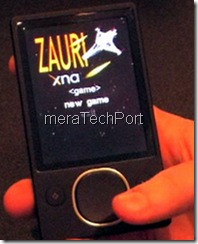
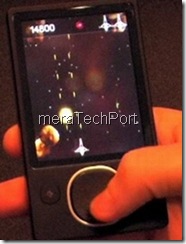
Also get to see a demo of a game written using the XNA framework running on a Zune. Here are some pictures from that video of playing games on Zune.
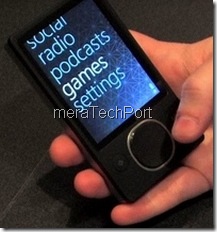
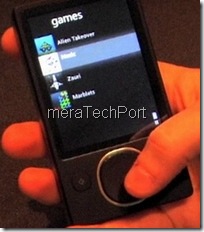
ZuneGame1R  ZuneGame2

ZuneGame3 ZuneGame4

Wednesday, February 06, 2008

First Silverlight game to appear on Miniclip.com

I am sure you all must have sometimes or the other played games at miniclip.com, a site for small but very interesting flash based games. Now to this list a new game Zombomatic has been added. So what's special about it? Zombomatic is the first Silverlight 1.0 based game to appear on Miniclip.com.
It has been created by Terralever , yes the company which gave us Zero Gravity. I had posted about it earlier.


Now you can try your hands on this new game Zombomatic.


Games at Miniclip.com - Zombomatic
Zombomatic

Swap the conductors to connect them into a path for the electricity to flow.

Play this free game now!!
(source: Tim Heuer)

Tuesday, October 02, 2007

Vista Game Doctor

Are you one of those who is facing problem running your old/legacy games on Windows Vista or wants to find out whether your old favorite game will run on Windows Vista or not? If not then how to fix it?

I came across a post on Ozymandias, for all such queries, there's a site called VistaGameDoctor which has put together a comprehensive list and are testing a huge library of games, old ones.
They have a nice indexed list which tells us which games works, which doesn't , what are the issues if any and any workaround. So the old /legacy game fans should check out the list. New games just works on Vista.

Saturday, September 22, 2007

Halo3 Game Guide Powered by Silverlight


An online game guide of Halo3 is published now and is available here.
And its powered by Microsoft Silverlight.
It provides all the information related to Halo3, The Story so far, game controls, Characters, weapons/equipment, vehicles and lot more.


Halo3 and Silverlight seems to be going together. Yesterday I had posted about Halo3 themed Tafiti- a Silverlight based search Front end. Also recently high definition trailer videos of Halo3 were made available using Silverlight.So as the launch of Halo3 is approaching, Halo3 and Silverlight gaining more popularity.

Friday, September 21, 2007

Tafiti - Halo themed

Check out the new Halo themed version of tafiti.
I had already posted about Tafiti, on its release. (Microsoft Tafiti - Silverlight based search front end)
Tafiti, uses Silverlight and Live Search and gives a richer experience in search.

And now a special themed version of tafiti is released to celebrate release of Halo3.
There's also an option to use Original tafiti by clicking the option provided on top right "Click here for Original tafiti"

Also there's a specialized search with Halo icon along with image, web, news and feeds search which gives sites related to this game.

Check out this, even if you are not a Halo fan. Its cool !

Sunday, September 02, 2007

EA Command & Conquer Gold free download

All Command & Conquer Fans, here's an opportunity to download the original Command & Conquer Gold which was released back in 1995, now made compatible with Windows XP.

Thanks largely to the efforts of our loyal fans whom continue to sustain and grow the Command & Conquer community, Command & Conquer has become a legendary franchise and it’s time to celebrate its birth once again.In order to give back to the fans for over 12 years of devotion we are putting together a 12th Anniversary celebration during the month of September. However, as any Command & Conquer fan knows, the true party starts today, August 31st, which marks 12 years since Command & Conquer Gold launched way back in 1995.To kick the celebration off, today we have a special surprise which we are certain new and old Command & Conquer fans will enjoy. We are providing the original Command & Conquer Gold as a free download, compatible for Windows XP! This is the same version included with the collectors pack Command & Conquer: The First Decade, and is now available for you to download for free!

Check it here.

Update: The direct link for the iso download
seems to be not working now, but when the link is put in some download manager, it starts downloading but with a very slow speed.

Saturday, September 01, 2007

Google Earth-Flight Simulator

If you have installed the new version of Google Earth, you can try your hand at built in Flight Simulator. Its a kind of (hidden) feature until you know about it. All the controls etc. have been documented.
After you had browsed through your regular Earth, press Ctrl+Alt+A
or From Tools -> Enter Flight Simulator and you'll be provided with the Flight Simulator dialog box to choose the aircraft and airport runway choice.You can click help to get all Keyboard controls or check all the controls at Flight Simulator Keyboard Controls
I have to stop now because of this :