Showing posts with label Microsoft. Show all posts

Saturday, August 01, 2020

Recover lost files with Windows File Recovery

Microsoft has released a command line app called Windows File Recovery which can be used to recover lost files. These lost files could have been deleted from your local storage device (including internal drives, external drives, and USB devices) and can’t be restored from the Recycle Bin. This app requires Windows 10 build 2004 and later. 

For photos, documents, videos and more, Windows File Recovery supports many file types to help ensure that your data is not permanently lost.It also has various options such signature mode which can be used for recovering from a camera or SD card where one has to see beyond NTFS recovery and caters to your storage device needs. 

One should note that if one wants to increase chances of recovering a file, minimize or avoid using that computer. In the Windows file system, the space used by a deleted file is marked as free space, which means the file data can still exist and be recovered. But any use of your computer can create files, which may over-write this free space at any time. 


Let us check various options this app provides. After running the app, it'll provide with a command prompt window, one has to enter the command in the given format:

winfr source-drive: destination-drive: [/switches] 

 The source and destination drives must be different. When recovering from the operating system drive (often C: ), use the /n <filter> and /y:<type<(s)> switches to specify the user files or folder.

Microsoft automatically creates a recovery folder for you called, Recovery_<date and time> on the destination drive.


There are three modes you can use to recover files: Default, Segment, and Signature. 


Default mode examples

  • Recover a specific file from your C: drive to the recovery folder on an E: drive.


            winfr C: E: /n \Users\<username>\Documents\QuarterlyStatement.docx

  • Recover jpeg and png photos from your Pictures folder to the recovery folder on an E: drive.


            winfr C: E: /n \Users\<username>\Pictures\*.JPEG /n \Users\<username>\Pictures\*.PNG

  • Recover your Documents folder from your C: drive to the recovery folder on an E: drive.


            winfr C: E: /n \Users\<username>\Documents\

Don’t forget the backslash (\) at the end of the folder.

Segment mode examples (/r)

  • Recover PDF and Word files from your C: drive to the recovery folder on an E: drive.


            winfr C: E: /r /n *.pdf /n *.docx

  • Recover any file with the string "invoice" in the filename by using wildcard characters.


            winfr C: E: /r /n *invoice*

Signature mode examples (/x)

   When using signature mode, it's helpful to first see the supported extension groups and                     corresponding file types.

            winfr /#

  • Recover JPEG (jpg, jpeg, jpe, jif, jfif, jfi) and PNG photos from your C: drive to the recovery folder on an E: drive.


            winfr C: E: /x /y:JPEG,PNG

  • Recover ZIP files (zip, docx, xlsx, ptpx, and so on) from your C: drive to the recovery folder on an E: drive.


            winfr C: E:\RecoveryTest /x /y:ZIP
 

When you are prompted for confirmation to continue, enter Y to start the recovery operation.

Depending on the size of your source drive, this may take a while.

To stop the recovery process, press Ctrl+C.

For more such examples and the details, please check the user guide.

  • In short, we can summarize its features as: 
  • Recovers JPEG, PDF, PNG, MPEG, Office files, MP3 & MP4, ZIP files and more 
  • Recovers from HDD, SSD, USB, and memory cards
  • Supports NTFS, FAT, exFAT and ReFS file systems
One can get the Windows File Recovery from the Microsoft Store.

Sunday, April 26, 2020

E-Book: Essential guide to working from home

 In the present times of COVID-19, many are working from home. For some, it may be easy to adjust to this new working from home. But if one is accustomed since long time to working in a traditional office environment, then some adjustments is required. There are many ways to set yourself up for success wherever you choose to do your job. One can have some guidance regarding the same.  For this, Microsoft has released a Free E-book "Essential Guide to working from home". This book provides tips and resources to help you set up your workspace,  stay connected, and manage your time and well-being.
With this guide, learn more about setting up a secure and productive workspace, keeping a daily routine, fixing common Wi-Fi and printer issues, and even ways to keep the kids entertained.

Table of contents:

 Its a small 14 page guide and covers topics like Setting up of Workplace, which includes the physical workplace and virtual workplace.
 In virtual workplace, it covers Working in Cloud with tools like OneDrive, OneNote and other tools. It teaches you about backing up your documents and data in cloud or external drive.
It also covers how to Sync your phone to your computer.
It gives tips on how to scan written notes and physical documents using Office Lens app.
It provides links to many interesting tips.

One can download this free E-book from Microsoft Essential guide to working from home. (PDF doc size 3.22MB)

Saturday, December 21, 2019

[E-book] - Cloud Migration & Modernization

Get ready to help your customers move to the cloud with the Cloud Migration playbook. This Microsoft practice development playbook is provided free from Microsoft.
You can learn about:
  • Strategies for building your cloud business, including which workloads to target, how to value your services, and how to build your tech team.
  • In-depth technical details on how to plan and perform a workload or application migration to Microsoft Azure.
  • Best practices and real-world guidance sourced from dozens of Microsoft partners who are either delivering or preparing to deliver cloud services.

This playbook is intended for the business and technical leadership for new and existing Microsoft
partners focused on migrating workloads to Microsoft Azure or modernizing legacy applications
to the cloud.
 

Objectives: The goal of this playbook is to help you accelerate or optimize your Azure-focused practice by teaching you the ins-and-outs of migrating workloads or modernizing applications and hosting them in Microsoft Azure.
For the business side, this playbook provides an understanding of the strategies you can take to build a migration or modernization practice, including which workloads to focus on, how to price your services, and how to build your technical team. For the technical side, this playbook provides detailed
guidance on how to plan and execute the migration of an existing workload or application to Azure, including advice on different approaches and the tools you may find useful, and technical details
on best practices with infrastructure migrations. Application modernization,optimization, and management are discussed, as are Azure best practices and advice on how to build unique IP
to make your migration practice more successful.

This playbook is part of a series of guidance written by Microsoft Partner Opsgility, in conjunction with the Microsoft One Commercial Partner group and 12 other successful Azure partners that have volunteered their time to provide input and best practices to share with the rest of the partner community.

Complete and submit the form to download the book from here. (PDF size 9.83 MB)

Friday, July 01, 2016

Windows Insider MVP Program announced

For over two decades, Microsoft Most Valuable Professionals (MVP) have been playing important role in advancement and adoption of various Microsoft technologies. The MVP Program was started in 1993. MVPs provide early feedback, inspire new ideas and features which are based on their real-time experience. Moving forward, Microsoft after listening to various feedback on MVP Program itself, started restructuring it and some details on restructuring was announced in October 2015.

MVPs

Focus on Developers and IT Professionals:

MVP Program restructuring was mainly based to focus on Developers and IT Pros. Microsoft is now moving from 36 areas of technical expertise to a set of 10 broader categories that encompass a combined set of 90 technology areas—including open source technologies. Due to this restructuring, the Consumer MVP award categories were moved out of the earlier MVP program and are now put under a new program announced today, Windows Insider MVP Program. These are the MVPs focused on Windows and Devices for consumers. MVPs under these award, now would be supported directly by the product teams.

WIMVP

Microsoft was revamping the MVP program since few months and has figured out to put these Consumer MVPs into Windows Insider Program, where future of Windows is being shaped directly by the people who use Windows most. The new program will allow Microsoft to work more closely with MVPs as there will be direct interactions with Windows and Devices product teams.

Announcing the new Windows Insider MVP program, Dona Sarkar said

“This is just the beginning of the journey, and I look forward to our ongoing collaboration with the MVPs. While we are working directly with existing MVPs as they transition into the new program, for our most engaged Insiders, the opportunity to become a Windows Insider MVP will come early in 2017 and will be unveiled this fall.”

So one can look forward to more details in future announcements.

Tuesday, March 29, 2016

Watch Microsoft Build 2016 Live Streaming here

Just a day to go for Build 2016 to start. Build 2016 is being held from Mar 30 – Apr 1 at the The Moscone Center, San Francisco, CA .

Build2016

If you want to watch the MS Build 2016 Live Streaming, join here.

For more information on Build 2016, check here. You can also add a reminder to your calendar to make sure you don't miss the live stream.

Monday, September 14, 2015

Microsoft wishes 8-bit day with an Easter egg

13th Sep is celebrated as 8-bit day which this year marks the 30 years of Super Mario Bros. Microsoft too celebrated and wished Happy 8-bit day with a nice Easter egg.

Here are the details how to crack this Easter egg:

↑ ↑ ↓ ↓ ← → ← → B A

that is up, up, down,down, left, right, left, right , b,a  (this is the Konami code which was the famous cheat code appearing in many Konami video games) I think it works only on US version, so use the above link only.

  • and you can see a pixelated version of Ninja Cat riding a T-rex across the screen at bottom and it will be dropping coins.

8bit01

8bit02

  • And you’ll also see pixelated  ‘Insert coin to play’ . Just drag one of the coin to the slot and the user will be greeted with a message from Microsoft ‘Microsoft.com wishes you a Happy 8-bit day!’

8bit03

Its very nice Easter egg, give it a try. This Ninja Cat has become very popular after Microsoft started using this as a sticker. Recently similar T-Rex GIF animation Easter egg was seen in Skype too.

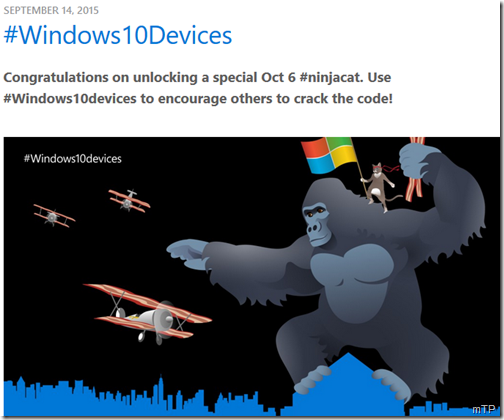
EDIT: Microsoft sent invites to its Windows 10 devices event which had some binary codes on the image. On cracking this, Microsoft links to a webpage with a new ninja cat wallpaper  http://blogs.windows.com/bloggingwindows/windows10devices/

8bit04 

Go to the above link to get the full sized wallpaper.

Sunday, April 19, 2015

OneDrive now supports Apple Watch

OneDrive is the free online storage from Microsoft ,  its for storing all your files and you can get to them from your iOS device, computer (PC or Mac) and any other devices you use.

And now with the latest update of OneDrive app for iOS, it supports Apple Watch too. It says:

‘If you have a new Apple Watch, you can enjoy your OneDrive photos right from your wrist!’

OneDriveAppleWatch

So Microsoft is ensuring that OneDrive will be there from the day Apple Watch will be seen on wrists of its user.

Seems the feature that would be available on Apple Watch will be to browse all the photos on OneDrive right from your wrist.

Anyway, one should appreciate Microsoft for providing the OneDrive update for Apple Watch right from the day one its made available.

You can get the OneDrive for iOS from iTunes . Can also check some more improvements in the new Version 5.3

Tuesday, July 08, 2014

Free Microsoft eBooks largest collection, lots of new books added now

Microsoft has been providing Free e-books from time to time on wide range of topics. It includes books for developers, IT Pros or consumers.  These books have been blogged about at their respective subject blogs or on Microsoft Press blog which also informs about the new books whether free or otherwise.

If you didn’t knew, Eric Ligman, Microsoft Senior Sales Excellence Manager has been compiling links to Free Microsoft e-books since few years. And he updates them regularly. In these years he had posted about nearly 150 FREE Microsoft eBooks. In his latest post he now compiles and shared a post with over 130 more FREE eBooks, Step-By-Steps, Resource Guides, etc. And in this new post he also includes links to the free eBooks he had shared in the past. This makes it one of the largest collection of Free e-books from Microsoft.

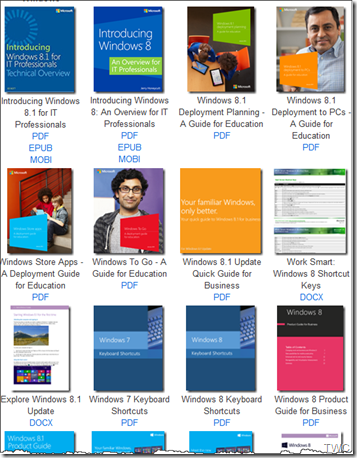
He has put them all neatly categorized as Windows, Office, Dynamics, Power Shell, System Center, Lync, Azure, Others…

ebooks01

Many Books on programming, Windows 7 etc… from the past year

 ebooks02


Here’s the link to the Free Microsoft e-books treasure: Largest collection of FREE Microsoft eBooks ever, including: Windows 8.1, Windows 8….

If you don’t want to miss any of the Free resources Eric posts, then one can get this Windows Phone app Apart from books this also includes lots of other Microsoft resource feeds. Or one can scan this to get the app Scanapp

Hope you’ll find your book of your interest, so just start downloading them , many of the books are provided in multiple formats, so get the format you want them in. Thanks Eric for this nice compilation!

Tuesday, March 18, 2014

Virtual Tech Community Conference 2014

Virtual Tech Community Conference (VTC) is an online event by Microsoft and will be held on 19th Mar 2014. Virtual Tech Community-Conference has interesting line-up of speakers and exciting topics. There will be 2 tracks conducted simultaneously- IT Pro Track and Developer Track. Each session will be of 60 min. If you haven’t yet registered for the sessions, do it now. Here are the various topics of the sessions. For timings and registrations, please check the link given below-

VTC 2014: ITProTrack

  • The Best Use of SharePoint 2013 Social Features on Enterprise Level
  • Windows 8 Productivity tools
  • Performing multi-machine virtual deployments using PowerShell
  • Demystifying SQL Server Backups
  • Performance tuning in SharePoint 2013
  • Exchange 2013: Transport and Mail Delivery
Click here for registration and other details of IT Pro track

VTC 2014: DevTrack

  • Introduction to Windows Azure Media Services
  • Async Programming using C# 5.0
  • Big Data Using Microsoft Azure
  • Building a Multi-lingual Windows Phone App
  • Building Apps for Windows & Windows Phone
  • App to App Communication in Windows Phone 8

Click here for registration and other details of IT Pro track.

If you are on social media, can also check #VTC #VTCC2014 #ComCamp2014 hashtags.


Thursday, November 21, 2013

Get some Scroogled Products from Microsoft Store

Are you being Scroogled?

Tired of being Scroogled? Then you’re in luck…check out these products showing in different ways how you are being Scroogled!

Do you use Google Search? Or Gmail?  Or Google Chat?  Then Google is watching you…all the time.

Hate being Scroogled by Google? Hate the sun in your eyes? Then you’re in luck. This 100% cotton, one-size-fits all hat is a perfect way to avoid both.

en-US_Scroogled_Slim_Hero_Spider_Gray

Microsoft Store is offering some cool Scroogled Products. Some of the Scroggled products include: Mugs, different types of T-shirts, Hoodie, caps.

en-INTL_L_Scroogled_Keep_Calm_Mug_DHF-01113_mnco


en-INTL_L_Scroogled_Keep_Calm_Mug_DHF-01113_RM1_mnco

Check some of the messages on these Scroogled products:

Scroogled_Im_Watching_You

Scroogled_Word_Cloud_Tshirt

Check all the products and buy them from here.

Sunday, November 17, 2013

Microsoft pays tributes to Sachin Tendulkar

Microsoft paid rich tributes to the Little Master, The Master Blaster Sachin Tendulkar. Microsoft India showed gratitude, admiration in various forms in their various products social accounts.

The Xbox 360 India tweeted –

The best ever. And he was ours. Thanks for the memories #Sachin .

sachinxbox

While the Windows account said

SachinWindows

Earlier, on the start of Sachin’s last Test Match Internet Explorer had wished him

Wishing ‘the God of Cricket’ all the best for his final Test!

sachinIE

Saturday, March 02, 2013

[video] This is what the future will look like, Microsoft Envisioning Center opened

Technology could transform our life at work, on the go, and at home based on extensive research. This is a snapshot of what the future will look like five to ten years from now. In the years ahead, technology will amplify our senses; help us stay connected to the people we care about and transform the way we live, work and play.

Microsoft has opened Microsoft Envisioning Center. The Envisioning Center is located in the Redmond campus and it's been rebuilt from the ground up to incorporate the newest ideas and latest technologies.

The facility encompasses scenarios at home, at work and places in between, and is inspired by  product teams, Microsoft Research and by the trends across the industry.

“As part of today’s opening, we put together a short video that gives a sense of what’s inside – and while none of these ideas are meant to be predictive about our products, they do highlight some of the key trends we’re investing in, such as machine learning and NUI. They also give you a sense of where these technologies could lead us over the next five to ten years.”

(Source)

Tuesday, October 16, 2012

[video] The Surface Ad!

New Surface Ad ! The Surface Movement.

The Movement for Microsoft Surface -

The Surface Movement

Friday, September 21, 2012

Free E-book - Introducing Windows Server 2012 (RTM Edition) from Microsoft Press

Introducing Windows Server 2012 (RTM Edition) from Microsoft Press by Mitch Tulloch with The Windows Server Team has been updated now for the RTM edition. This very popular Microsoft Press book is free to download.

IntroWS2002RTM

A key feature of this book is the inclusion of sidebars written by members of the Windows Server team, Microsoft Support engineers, Microsoft Consulting Services staff, and others who work at Microsoft. These sidebars provide an insider’s perspective that includes both “under-the-hood” information concerning how features work, and strategies, tips, and best practices from experts who have been working with the platform during product development.

You can download a free copy of the ebook in various formats -

PDF - Introducing Windows Server 2012 RTM Edition - PDF ebook (17.7MB)

EPUB – Introducing Windows Server 2012 RTM Edition – ePub format (25MB)

MOBI – Introducing Windows Server 2012 RTM Edition – MOBI format (for Kindle) (50.6 MB)

If you want a hard copy of the book, it can be purchased from O’Reilly for $14.99

(Source: Microsoft Press Blog)

Wednesday, September 05, 2012

Nokia Lumia 920 and Lumia 820 detailed Specs and fact sheet


Nokia today announced the Nokia Lumia 920 and the Nokia Lumia 820, the first devices in Nokia's Windows Phone 8 range.

Nokia Lumia 920

The Nokia Lumia 920 is the flagship Windows Phone 8 smartphone, including the latest advances in Nokia PureView imaging innovation. Using advanced floating lens technology, the camera in the Nokia Lumia 920 is able to take in five times more light than competing smartphones without using flash, making it possible to capture clear, bright pictures and video indoors and at night. It also compensates for hand movement while the photo is being taken.

The Nokia Lumia 920 also comes with Nokia City Lens, the latest addition to the Nokia location suite. By pointing the camera at a city street, City Lens overlays information about restaurants, shops, hotels and more on the surfaces of buildings, for the most intuitive way to explore surroundings. Nokia City Lens is the start of a new augmented reality experience that also enhances Nokia Maps, making it possible to move between maps view and augmented reality view to help people check their direction and surroundings. Along with enhancements to Nokia Drive and Nokia Transport, the Nokia location suite of services represents the most comprehensive, integrated mapping experience of any smartphone.

The Nokia Lumia 920 also comes with Nokia's largest ever battery (2000mAh) and, for the first time, built-in wireless charging for an easy, convenient way to get more out of every day.


920-product-hero-1-jpg

Tap to play, leave to charge

920-product-hero-3-jpg

More feature details here- http://www.nokia.com/global/products/phone/lumia920

The Nokia Lumia 820

The Nokia Lumia 820 is a stylish, mid-range smartphone that delivers high-end performance in a compact package.

While the Nokia Lumia 820 has the same unibody look and feel as the high end Lumia smartphones, it comes with an exchangeable shell design. Exchangeable shells not only make it possible to select from a range of colors, but also to add wireless charging. Beneath the shell is room to insert a micro SD memory card.

Nokia also announced a range of wireless charging accessories and partnerships. The Fatboy Recharge Pillow provides a fun way to recharge, while JBL introduced the JBL PowerUP, a wireless charging docking station with high quality audio in retro styling.

The Nokia Lumia 920 comes in yellow, red, grey, white and black. The Nokia Lumia 820 comes in red, yellow, grey, cyan, purple, white and black.

Both phones will be available in pentaband LTE and HSPA+ variants and are expected to start shipping in select markets later in the year. Nokia will announce pricing and specific roll-out dates country by country when sales are due to begin.

Nokia Lumia 820 with colourful shells

820-product-hero-2-png

The new wireless charging plate for Lumia

820-product-hero-3-png

For more feature details, pl check here- http://www.nokia.com/global/products/phone/lumia820

Product speficiations:

  Nokia Lumia 920 Nokia Lumia 820
Display 4.5 inch Nokia PureMotion HD+ WXGA IPS LCD
Super Sensitive touch
Nokia ClearBlack with high brightness mode and Sunlight Readability Enhancements
4.3 inch ClearBlack OLED WVGA 800x480
Super Sensitive touch
Nokia ClearBlack with high brightness mode and Sunlight Readability Enhancements
Battery 2000mAh with integrated Qi wireless charging 1650mAh with support for Qi wireless charging
Processor 1.5GHz Dual Core Snapdragon S4 1.5GHz Dual Core Snapdragon S4
Main camera 8.7MP with Nokia PureView advanced optical imaging stabilization and Carl Zeiss optics
Full 1080p HD video capture at 30fps
8MP Auto Focus with Carl Zeiss optics
Dual LED flash
Full HD 1080p video capture at 30fps
Front facing camera 1.2MP with 720p HD video VGA
Memory 1GB RAM
32GB mass memory with 7GB free SkyDrive storage
1GB RAM
8GB mass memory with microSD memory card support and 7GB free SkyDrive storage

Get the complete fact sheet -

Nokia Lumia 920 Data Sheet   PDF (375KB)

Nokia Lumia 820 Data Sheet  PDF (394KB)

(Source)

Thursday, July 12, 2012

Microsoft Translator Hub – Customize Translation, teach Machines new languages !

Microsoft today announced the launch of its latest translation tool, the Microsoft Translator Hub. The Hub allows people to customize translation and in some cases teach machines new languages.

07-11HubPage_Web

Automatic language translation has been dominated by a few major providers, resulting in coverage that is limited to fewer than 100 languages—even though there are more than 7,000 languages in the world. Speakers of these other languages must adopt non-indigenous languages to be able to access the global knowledge base—or they risk being excluded from the vast wealth of information it offers.

Microsoft Translator Hub empowers users to build translation models that help preserve indigenous languages. It also allows the creation of translations within a given language that are scoped to the specific interests of a community or organization—ranging from transportation and agriculture to healthcare and technology.

  • Translation between any two languages via a web-accessible system in a private workspace.
  • Create, improve, and deploy custom translation systems.

  • Develop automated language translation between virtually any pair of languages via cloud and web services.

  • Cultural and language preservation—the ability to translate lesser-known languages helps keep native languages alive and helps preserve native cultures.

  • Crowdsourcing—designated members of the public can participate to help improve the translation system.

  • Domain-specific models—users can build highly customized systems that are scoped to specific domains of interest.

  • Powered by Microsoft Translator technology—systems benefit from powerful technology and big translation models.

Powered by Windows Azure, Microsoft Translator Hub is an extension to the Microsoft Translator platform and service.
mthub_diagram

Visit Microsoft Translator Hub

For more details check Source : 

http://research.microsoft.com/en-us/projects/microsofttranslatorhub/

http://www.microsoft.com/en-us/news/features/2012/jul12/07-11Translator.aspx

Monday, July 09, 2012

Microsoft Indic Language Input Tool has a new URL


ILITWebpage_Title_394x112

The Microsoft Indic Language Input Tool now has a new URL  http://bhashaindia.com/ilit/ 

Today Microsoft India has tweeted about it -

Microsoft Indic Language Input Tool helps you enter Indian language text easily into any application in Microsoft Windows or on any page on the Web. The primary input mechanism is transliteration. Additionally, it provides a visual keyboard to assist with editing words that do not transliterate properly.

It’s a very useful tool for using various Indian languages in various services as in tweeting, presentations, chatting etc. Just type in English and it gets transliterated into Indian language of your choice.

At present it supports -

Bengali, Gujarati, Hindi ,Kannada ,Malayalam ,Marathi ,Oriya ,Punjabi ,Tamil ,Telugu.

Give it a try now - http://bhashaindia.com/ilit/

(Also chk- Tweet, chat, do Presentations in Hindi and other Indian languages with Microsoft Indic Language Input Tool )

Tuesday, June 19, 2012

A Surface Tablet from Microsoft !!

(Check the video here: http://www.microsoft.com/surface/en/us/default.aspx)

A tablet that’s a unique expression of entertainment and creativity. A tablet that works and plays the way you want.A new type of computing. Surface.Microsoft Surface® software and touch computing platform brings people together to connect, learn, and decide, changing the way people collaborate and connect with a 360-degree interface. And, with PixelSense, Microsoft Surface sees and responds

surface_01z

surface_05z

More details at : http://www.microsoft.com/surface/en/us/default.aspx

Tuesday, April 24, 2012

How to upgrade existing SkyDrive account from 7 GB to 25 GB for FREE!

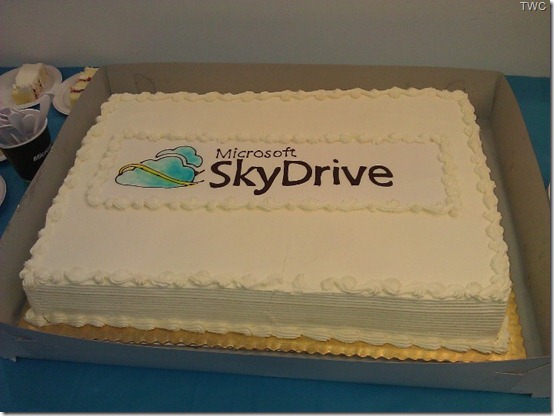
SkyDrive Cake

(SkyDrive cake on the epic release. Pic courtesy : http://t.co/AKx6CkA2 )

As you know preview of SkyDrive for the Windows desktop has been released. Using this you can access your SkyDrive from Windows Explorer on Windows 8, Windows 7 and Windows Vista. Thus SkyDrive has been integrated with Windows. Its available for Windows, Windows Phone, iPhone, iPad and for Mac. You can get this new app from here.

With this release of SkyDrive,  free storage limit is changing to 7 GB. As a Limited time loyalty offer existing SkyDrive users those who already have SkyDrive account, can still get their 25 GB they currently have. This is a Limited time offer and being offered only to early loyal adopters.

Let us see how to claim this free upgrade from 7GB to 25 GB for existing users. As said please note this is Limited Time offer, so do it quickly-

Sign-in to your SkyDrive account and click on ‘Manage storage’ 

SkyDriveClaimz

or directly goto https://skydrive.live.com/ManageStorage  to get this page. Click on ‘Free Upgrade’

SkyDriveClaim1z

That’s all , now your 7GB storage will be upgraded to 25 GB for FREE!

SkyDriveClaim3z

Those SkyDrive users who were using close to 7GB before the latest update, they’ve have been automatically upgraded to 25GB.

“..starting today, for a limited time, any registered SkyDrive user *who has uploaded files to SkyDrive* as of April 22nd can opt in to keep 25GB of free storage while still getting all of the benefits of the new service. (For users who are already using more than 4GB as of April 1, we’ve automatically opted you in to 25GB of free storage to avoid any issues.) “

Also received a tip from Ludwig Keck that Users who have not made any use of their SkyDrive, i.e. not uploaded anything, do not get the free 25 GB upgrade offer.

As you can see here, this account though created long time back, did not make any use of SkyDrive, so it doesn’t have the upgrade option.

SkyDrive7GBONLY

Also as you can see SkyDrive now also offers additional storage options for people who need more. SkyDrive offers affordable plans to add up to 100 GB of additional storage to SkyDrive.

Thursday, April 12, 2012

India’s AICTE chooses Microsoft for largest cloud deployment!

All India Council for Technical Education (AICTE) announced today that AICTE is deploying Microsoft Live@edu over the next three months to more than 10,000 technical colleges and institutes throughout India.The cloud deployment will expand students’ access to high-quality technical education and collaboration.

LiveatEDUcomb

The press release said -

“Live@edu is a hosted communication and collaboration service that offers email, Microsoft Office Web Apps, instant messaging and storage to AICTE’s more than 7 million students and nearly 500,000 faculty members, for a total reach of 7.5 million users — roughly double the size of the Los Angeles population — making AICTE Microsoft’s largest cloud customer ever. Live@edu is the first step in AICTE’s deployment of Microsoft cloud computing for education. AICTE also plans to deploy Microsoft Office 365 for education when it becomes available later this year, providing access to Microsoft Exchange Online email and calendar, Microsoft SharePoint Online, Microsoft Lync Online and Microsoft Office Professional as the technical infrastructure to support member colleges and institutes.”

Part of India’s Ministry of Human Resource Development, AICTE is the governing body for technical education in India, certifying and managing technical colleges and institutes in a country where the technology industry and higher education are both becoming increasingly vital to the economy.

AICTE reviewed solutions from a range of vendors, including Microsoft, IBM and Google. One of the major factors in the decision to choose Microsoft’s cloud services for education was Microsoft’s comprehensive commitment to education across all the company’s products and programmes, as well as the system’s seamless interoperation with the entire Microsoft product portfolio. The council was also impressed by Microsoft’s extensive experience in higher education and ability to deploy a system across geographically distributed locations without adding significantly to the institutions’ IT management costs or complexity.

The implementation is already underway and is being managed by Microsoft and a set of Live@edu partners. Full deployment is expected to be complete by summer 2012.

Live@edu is the leading cloud suite for education, with more than 22 million people using the service worldwide. At 7.5 million users, the AICTE deployment is the largest cloud deployment ever. Other recent Live@edu adoptions include a 700,000 cloud-based collaboration solution for the Kentucky Department of Education. The online service helps educational institutions provide email and enterprise-grade online tools to students and faculty while helping to reduce costs and simplify IT management.

Live@edu is a no-cost hosted platform for student communication and collaboration, providing industry-leading services to the global education market. Email and calendars with a 10GB inbox, 25GB of additional file storage, document sharing, instant messaging, video chat and mobile email are just part of the feature set.

Check the complete press release here.